




Breaking ONLYOFFICE in 3 steps: OnlyShells vulnerability chain
Overview
In fall 2025, we assessed the security of ONLYOFFICE Desktop EditorsNT AUTHORITY\SYSTEM shell after the victim opens a specially crafted document. In this article, we dive deep into the technical details of each vulnerability.
Attack surface
ONLYOFFICE Desktop Editors employs the Chromium Embedded Framework (CEF) and is a Chromium‑based application. It operates without browser sandboxing and uses Chromium 109.0.5414.120, which became outdated back in 2023. The editor comes with an update service that runs with NT AUTHORITY\SYSTEM privileges.
There is another large attack surface—parsers of various file formats based on insecure languages. But even with a significant exploitation primitive, a full‑scale attack is almost always complicated by the one‑shot nature of exploitation, which cannot adapt to a victim’s system mitigations such as PIE and ASLR.
Knowing this, we suggested the following chain:
- XSS exploitation leading to arbitrary JavaScript code execution.
- Renderer flaw exploitation.
- Update service flaw exploitation for privilege escalation.
Let us examine the vulnerabilities that make up each step.
XSS vulnerabilities
CVE-2025-68917
| Severity | Medium |
| CVSS score | 6.4 |
| CVSS vector string | CVSS:3.1/AV:N/AC:L/PR:L/UI:N/S:C/C:L/I:L/A:N |
| Privileges required | None |
Description
When a victim clicks the button to edit a comment, the page automatically creates an editing field similar to <textarea>{{USER_INPUT}}</textarea>. The USER_INPUT part is not escaped, allowing a threat actor to inject a payload into the comment and execute arbitrary JavaScript code when the victim clicks Edit comment.
Exploitation example
- An attacker creates a malicious comment similar to
</textarea><script>{{JavaScript code}}</script><textarea>. - When a victim edits the comment, the malicious script executes.
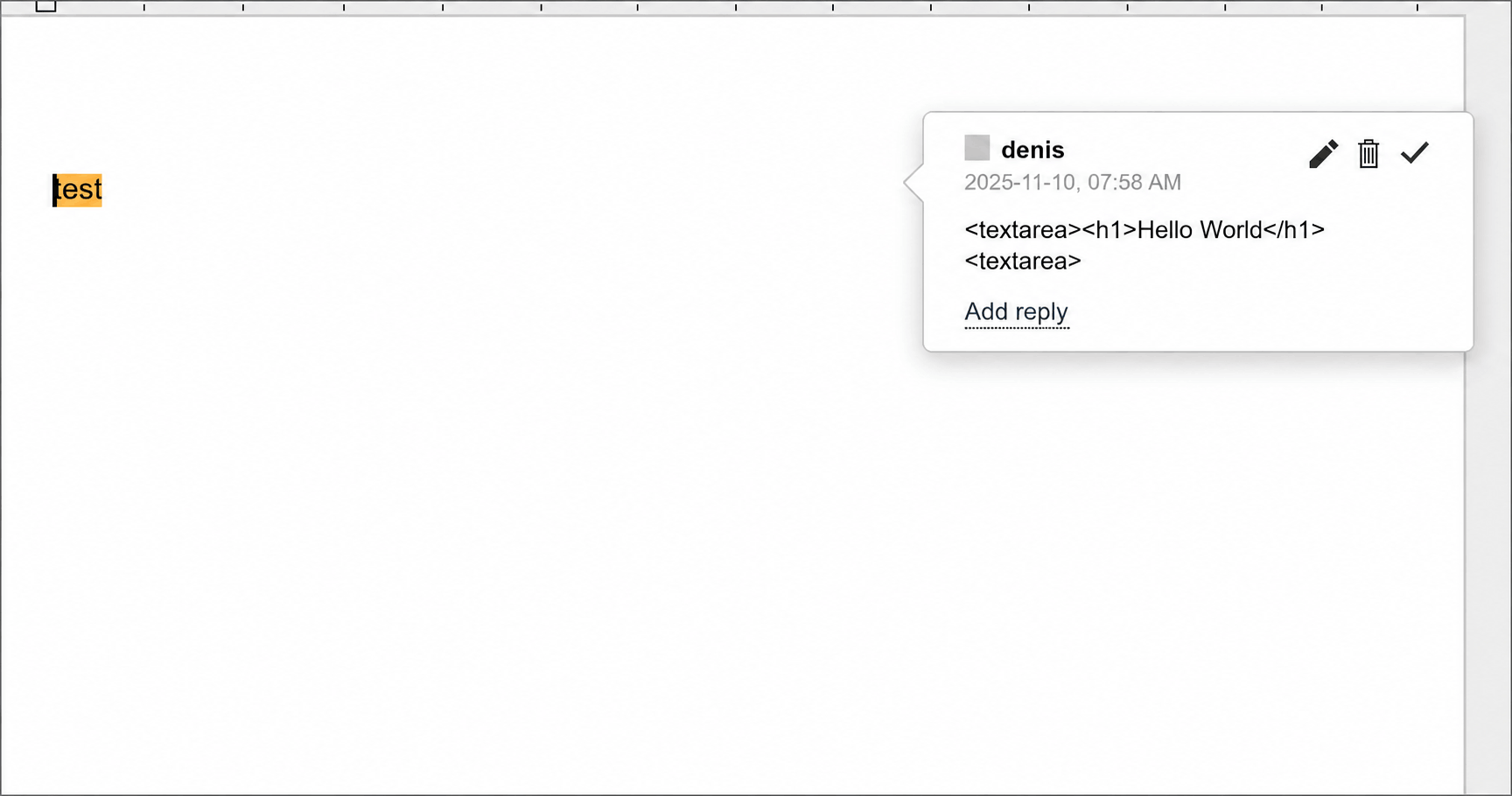 Exploitation example:
 <h1>Hello World</h1> serves as PoC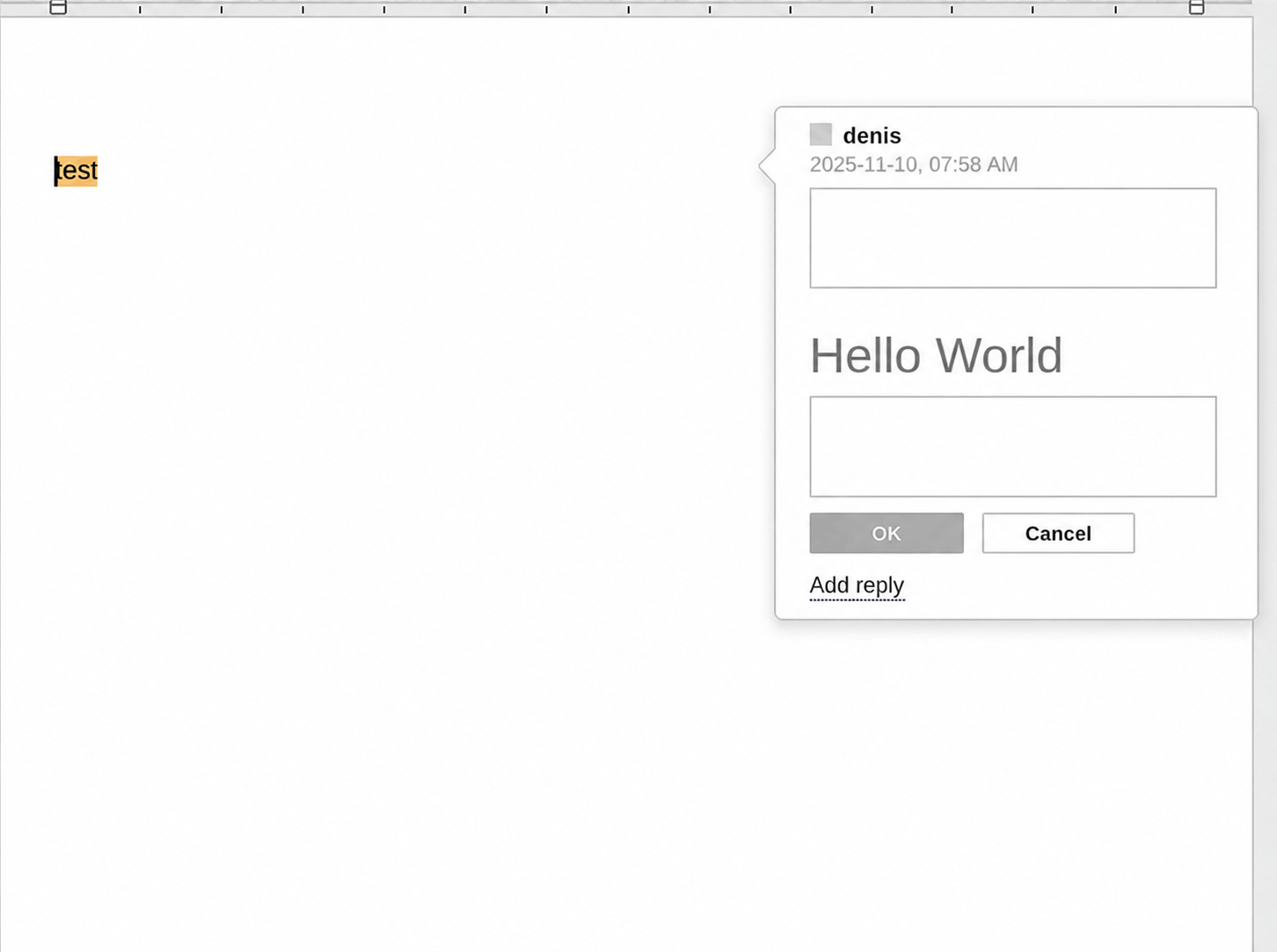 Page after payload activation:
 Hello World appears on screen
CVE-2025-68935
| Severity | Medium |
| CVSS score | 6.4 |
| CVSS vector string | CVSS:3.1/AV:N/AC:L/PR:L/UI:N/S:C/C:L/I:L/A:N |
| Privileges required | None |
Description
Editing list parameters opens a modal window with a list type selection option.
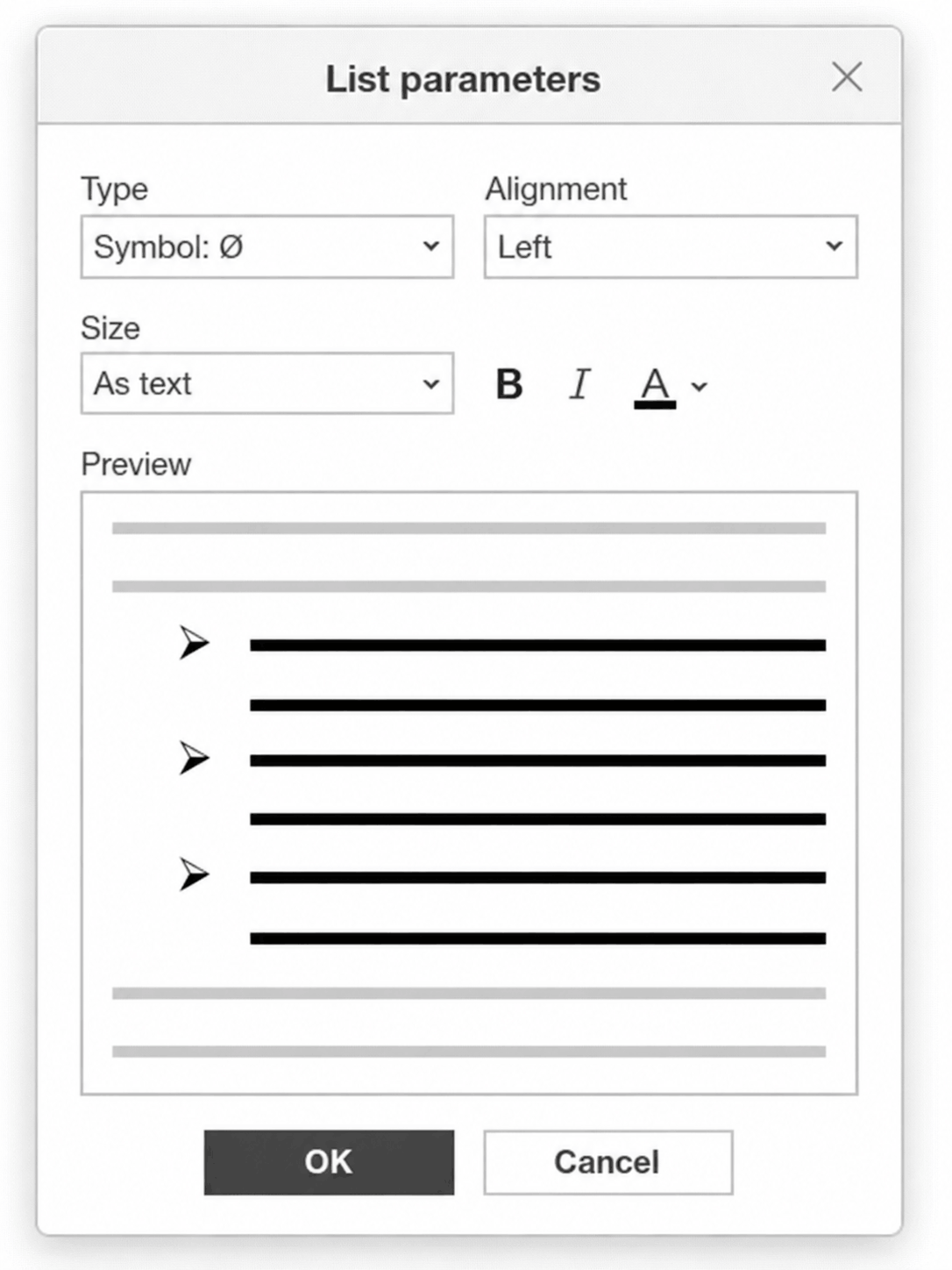 List parameters modal window
List types include fonts whose names can be inserted into the style attribute without being escaped.
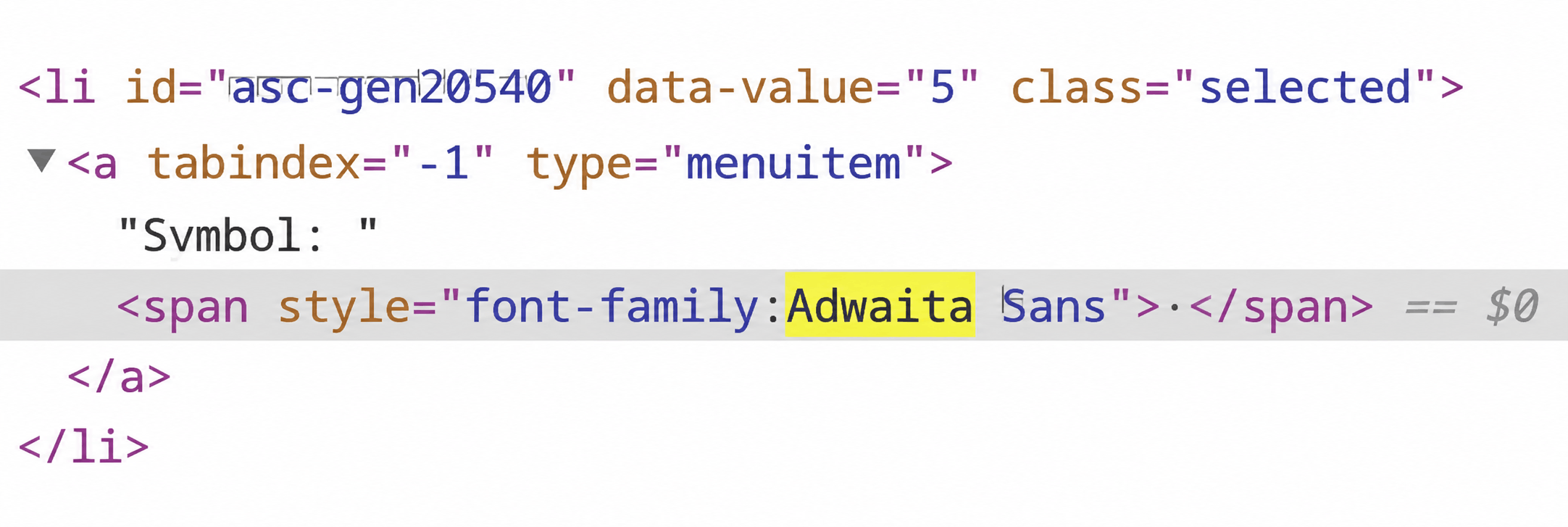 DOM tree fragment. Font set via
 style
Malicious JavaScript code injected into a font name executes when the List parameters modal window opens.
Exploitation example
- An attacker adds a custom list type to the document. The font name contains
;”><script>{{JavaScript code}}</script>. - When a victim opens the List parameters window, the script executes.
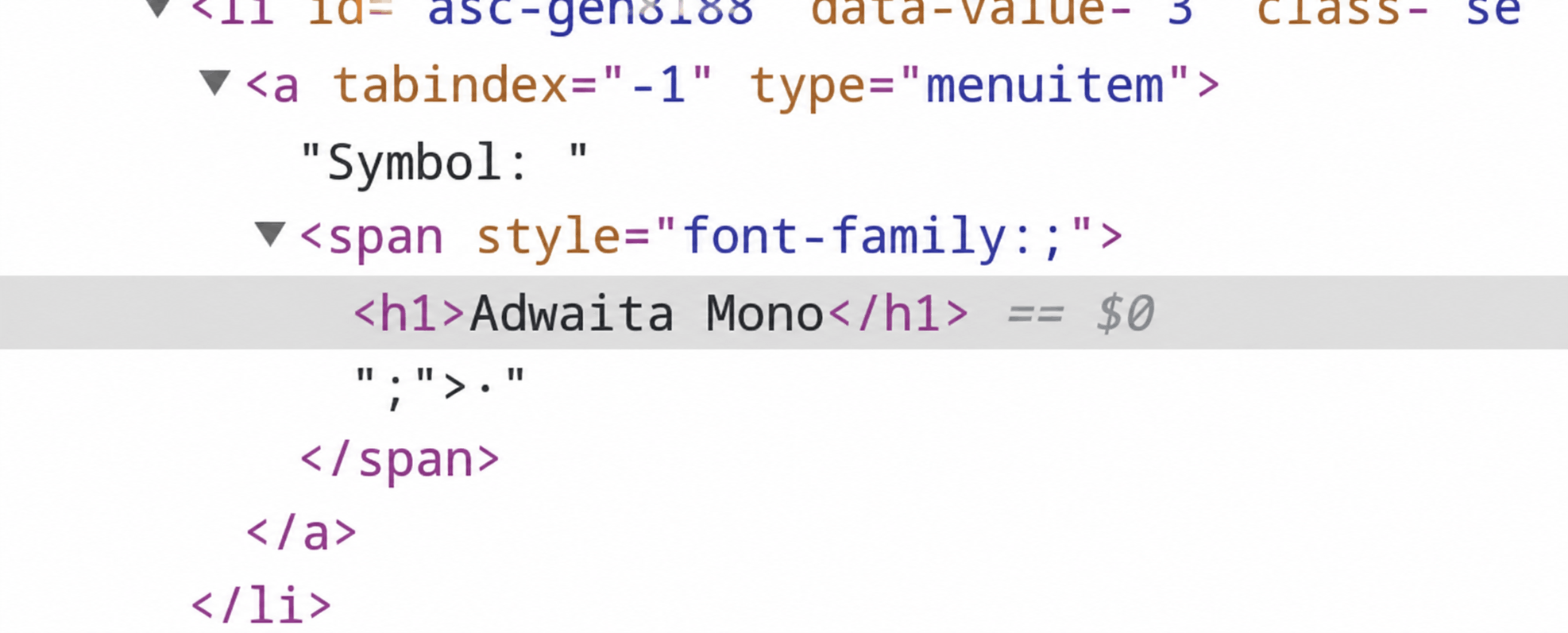 DOM tree fragment after injecting payload into font name. Adwaita Mono injected
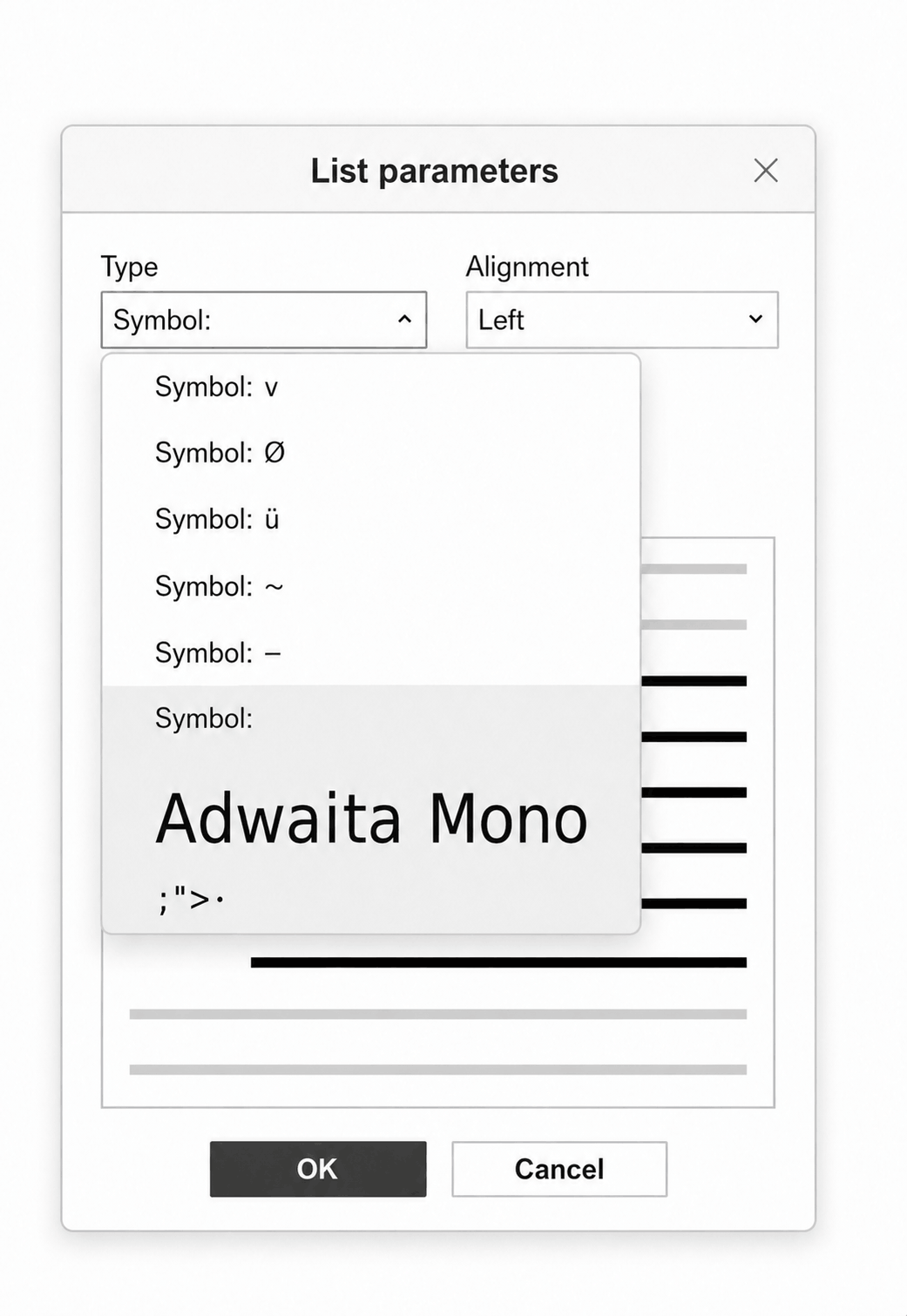 List parameters modal window after attack
CVE-2025-68936
| Severity | Medium |
| CVSS score | 6.4 |
| CVSS vector string | CVSS:3.1/AV:N/AC:L/PR:L/UI:N/S:C/C:L/I:L/A:N |
| Privileges required | None |
This zero‑click XSS vulnerability is the most dangerous—it triggers upon document opening.
Description
Document theme names in the drop‑down list are not escaped. A threat actor can create a document with a theme whose name contains a payload. The vulnerability resides in the drop‑down list which is integrated into the page DOM when the file opens. As a result, the XSS payload executes automatically upon document opening, without requiring any user interaction.
Exploitation example
- An attacker injects a theme with a payload similar to
<script><{{JavaScript code}}</script>. - JavaScript code executes automatically when the document is opened.
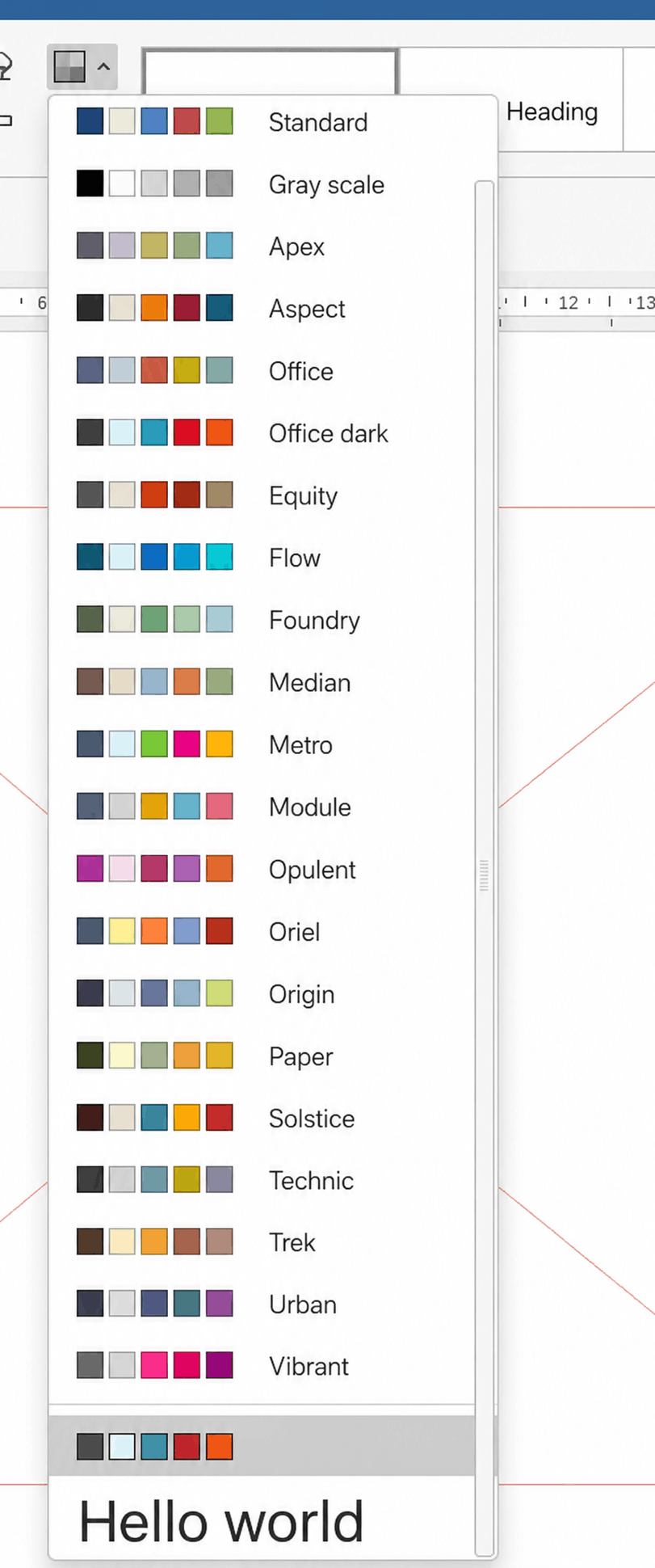
<h1>Hello World</h1> payload injected into page serves as PoC
RCE: Chromium Web Engine compromise
CVE-2023-2033
| Severity | Critical |
| CVSS score | 9.3 |
| CVSS vector string | CVSS:3.1/AV:L/AC:L/PR:N/UI:N/S:C/C:H/I:H/A:H |
| Privileges required | None |
Description
ONLYOFFICE Desktop Editors uses Chromium Embedded Framework 109.0.5414.120, which includes JavaScript V8 with CVE‑2023‑2033. Exploiting one of the mentioned XSS vulnerabilities enables remote code execution (RCE). We will only focus on the key aspects of CVE‑2023‑2033 here as this flaw is worth a dedicated article.
The vulnerability resides in the Turbofan JIT compiler, a V8 component. A compilation error allows a threat actor to obtain the hole value—an internal representation of an empty slot in JavaScript arrays. Upon retrieving this value, an attacker can abuse type confusion with array indexes to perform RCE.
Exploitation example
- Obtain the V8 internal
holevalue. - Abuse
type confusionto substituteholewith array indexes, enabling out‑of‑bound writes. - Retrieve the
addrof,fakeobj,sandbox_read, andsandbox_writeprimitives to read and write arbitrary values anywhere inside theV8 sandbox heap. - Generate intermediate shellcode via JIT spraying.
- Use the acquired primitives to replace a JavaScript function’s reference with the generated shellcode.
- Prepare a payload and transfer execution to it via the intermediate shellcode.
LPE: Update Service exploitation
CVE-2026-41030
| Severity | medium |
| CVSS score | 6.2 |
| CVSS vector string | CVSS:3.1/AV:L/AC:L/PR:N/UI:N/S:U/C:N/I:N/A:H |
| Privileges required | Unprivileged Windows user |
Description
To perform update tasks, the service exposes a local port for communication over UDP.
One of the tasks clears the temporary directory by deleting all files whose names start with a string sent over the protocol. The matching files are recursively searched for in nested directories. The files are not validated before deletion, enabling an attacker to delete a symbolic link (junction) and obtain a deletion primitive for arbitrary files as NT AUTHORITY\SYSTEM.
ONLYOFFICE vulnerable code segment
// csvcmanager.cpp (project:desktop-apps)
void CSvcManager::clearTempFiles(const tstring &prefix, const tstring &except)
{
    m_future_clear = std::async(std::launch::async, [=]() {
#ifdef _WIN32
        if (NS_File::fileExists(NS_File::appPath() + RESTART_BATCH))
            NS_File::removeFile(NS_File::appPath() + RESTART_BATCH);
#endif
        tstring _error;
        list filesList;
        if (!NS_File::GetFilesList(NS_File::tempPath(), &filesList, _error, true)) {
            NS_Logger::WriteLog(DEFAULT_ERROR_MESSAGE + _T(" ") + _error);
            return;
        } // returning files list to delete, big recursive cycle to find all files that matches pattern
        for (auto &filePath : filesList) {
#ifdef _WIN32
            if (PathMatchSpec(filePath.c_str(), L"*.json") || PathMatchSpec(filePath.c_str(), ARCHIVE_PATTERN)
                || PathMatchSpec(filePath.c_str(), L"*.msi") || PathMatchSpec(filePath.c_str(), L"*.exe")) {
#else
            if (fnmatch("*.json", filePath.c_str(), 0) == 0 || fnmatch(ARCHIVE_PATTERN, filePath.c_str(), 0) == 0) {
#endif
                tstring lcFilePath(filePath);
                std::transform(lcFilePath.begin(), lcFilePath.end(), lcFilePath.begin(), ::tolower);
                if (lcFilePath.find(prefix) != tstring::npos && filePath != except)
                    NS_File::removeFile(filePath); // deleting files
            }
        }
        tstring updPath = NS_File::parentPath(NS_File::appPath()) + UPDATE_PATH;
        if (except.empty() && NS_File::dirExists(updPath))
            NS_File::removeDirRecursively(updPath);
    });
}
Exploitation example
- Start the installation of a specially crafted MSI package.
- Create
0000\prefix_filename.jsonand0001\prefix_filename.jsonin the temporary directory. - Protect
0000\prefix_filename.jsonfrom deletion. - Send a package with a command to clean up the temporary directory using the prefix argument. During request processing, the update service will collect information on files to be deleted, including
0000\prefix_filename.jsonand0001\prefix_filename.json. Once the information is gathered, the service will attempt to delete0000\prefix_filename.json, but the deletion protection will cause theDeleteFileWinAPI function to fail until the protection is disabled. - Replace
0001\prefix_filename.jsonwith a symbolic link toConfig.Msi:$INDEX_ALLOCATIONwhile the service is waiting for the deletion of0000\prefix_filename.json. - Disable the
0000\prefix_filename.jsondeletion protection. The update service will continue processing the list, which still includes0001\prefix_filename.json. However, due to the substitution with the symbolic link,Config.Msi:$INDEX_ALLOCATIONwill be deleted instead, which also results in the removal of theConfig.Msidirectory. - Create a
Config.Msidirectory, retain its handle, and subscribe to write operations for files inside it. - Restart the installation of a specially crafted MSI package. During the installation, the directory permissions will be overwritten to the original ones (
NT AUTHORITY\SYSTEM). - Detect the rollback script record.
- Reclaim rights to modify
Config.Msias a non‑privileged user. This is possible because we have an open handle with rights to modify the DACL. - Replace the rollback script with a malicious one that, for example, establishes reverse shell connection to an arbitrary server.
- Cancel installation, which will cause the malicious rollback script to execute under
NT AUTHORITY\SYSTEM.
CVE‑2025‑68936, CVE‑2023‑2033, and CVE‑2026‑41030 comprise the OnlyShells chain, which enables arbitrary code execution with SYSTEM privileges when a specially crafted file is opened.
To protect against OnlyShells, update ONLYOFFICE Desktop Editors to version 9.3.0. BI.ZONE EDR correctly detects post‑exploitation activity resulting from the chain.